December 23, 2025
We've released a major update to the Communications Suite, including the ability to send text messages and manually log emails, text messages, and phone calls. There have also been updates to how communications are tracked in applications, among other improvements.
Release Details
Unified Communications
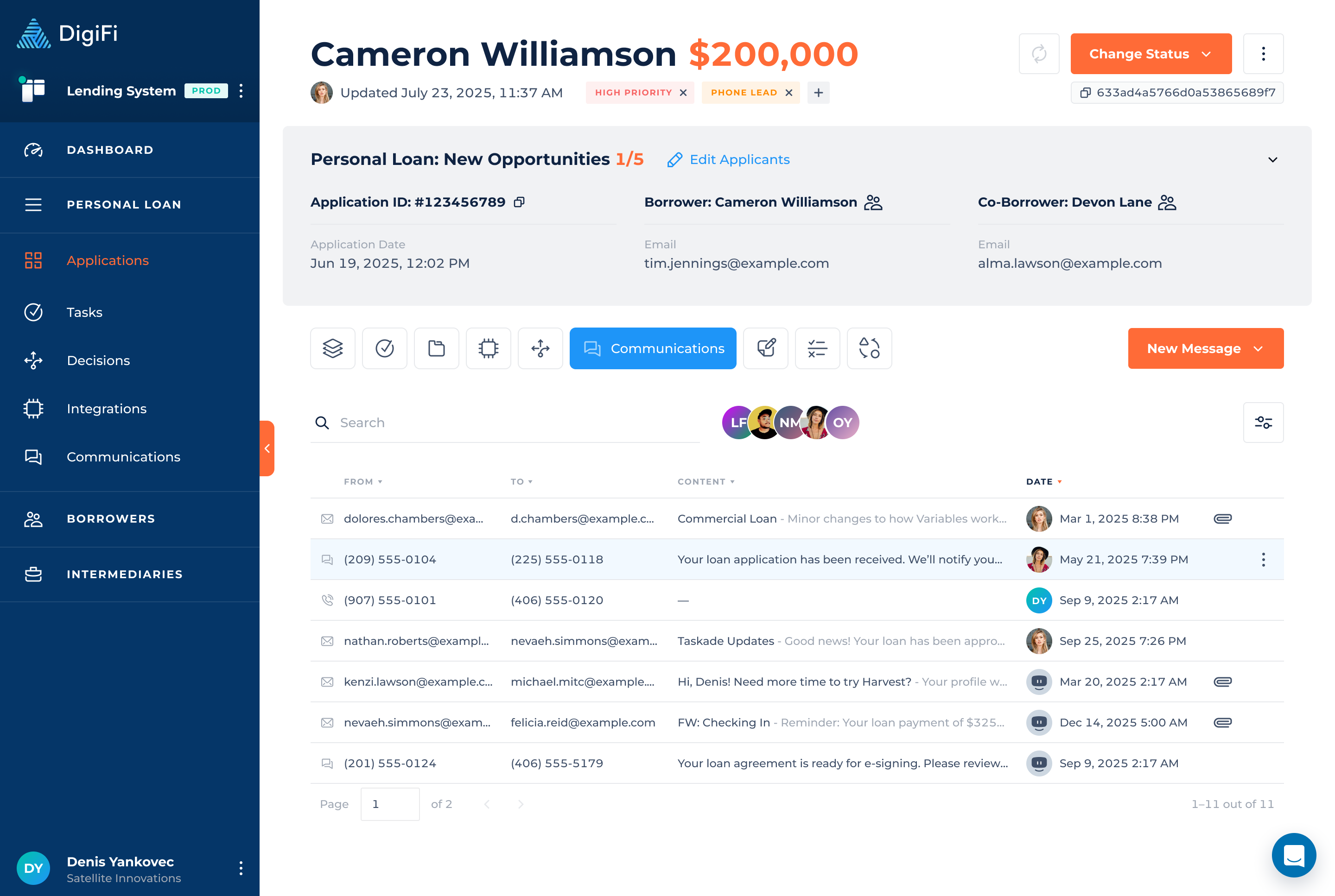
With the new additions to the communications suite DigiFi offers, the existing Emails tab has been replaced by the Communications tab. The Communications tab consolidates all communication records, including:
- Emails
- Text messages (SMS)
- Logged phone calls
Previously, communications shown within an application included all communications associated with the borrower. Communications displayed at the application level are now limited to records related to the current application only. The full communication history for a borrower or intermediary is available from their respective profiles.
The Communications table includes enhanced capabilities for:
- Searching by content, subject, email address, or phone number.
- Filtering by communication type and date range.
- Previewing message content directly within the table.
In-Platform Email Sending
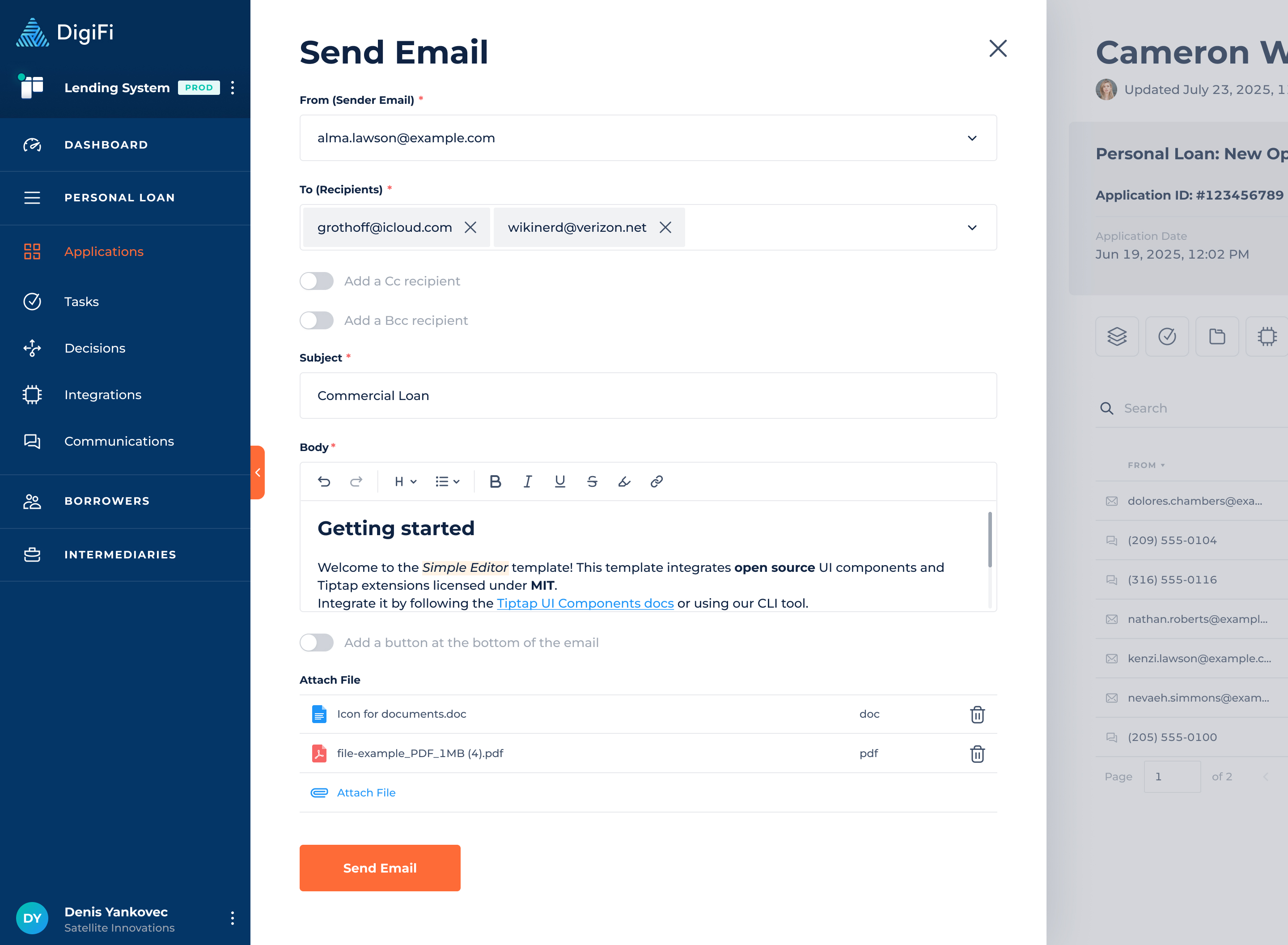
Users can now send emails directly from DigiFi without relying on an external email client. Automated emails can still be sent using the Automation Builder. Email delivery is powered by the SendGrid integration and supports:
- Manual email sending from an application.
- Multiple sender email addresses (configured in the SendGrid integration card).
- Multiple recipients (Borrower, Co-Borrower, Intermediary, an email variable or free email input).
- CC and BCC recipients.
- Rich text email body.
- Attachments, including uploaded files and linked application documents.
All emails sent from DigiFi are automatically stored and displayed in the Communications tab.
Built-In Text Messaging
DigiFi now supports outbound text messaging through a built-in Twilio integration, available in the Integration Marketplace.
Text messages can be sent:
- Manually from an application
- Automatically via the Automation Builder
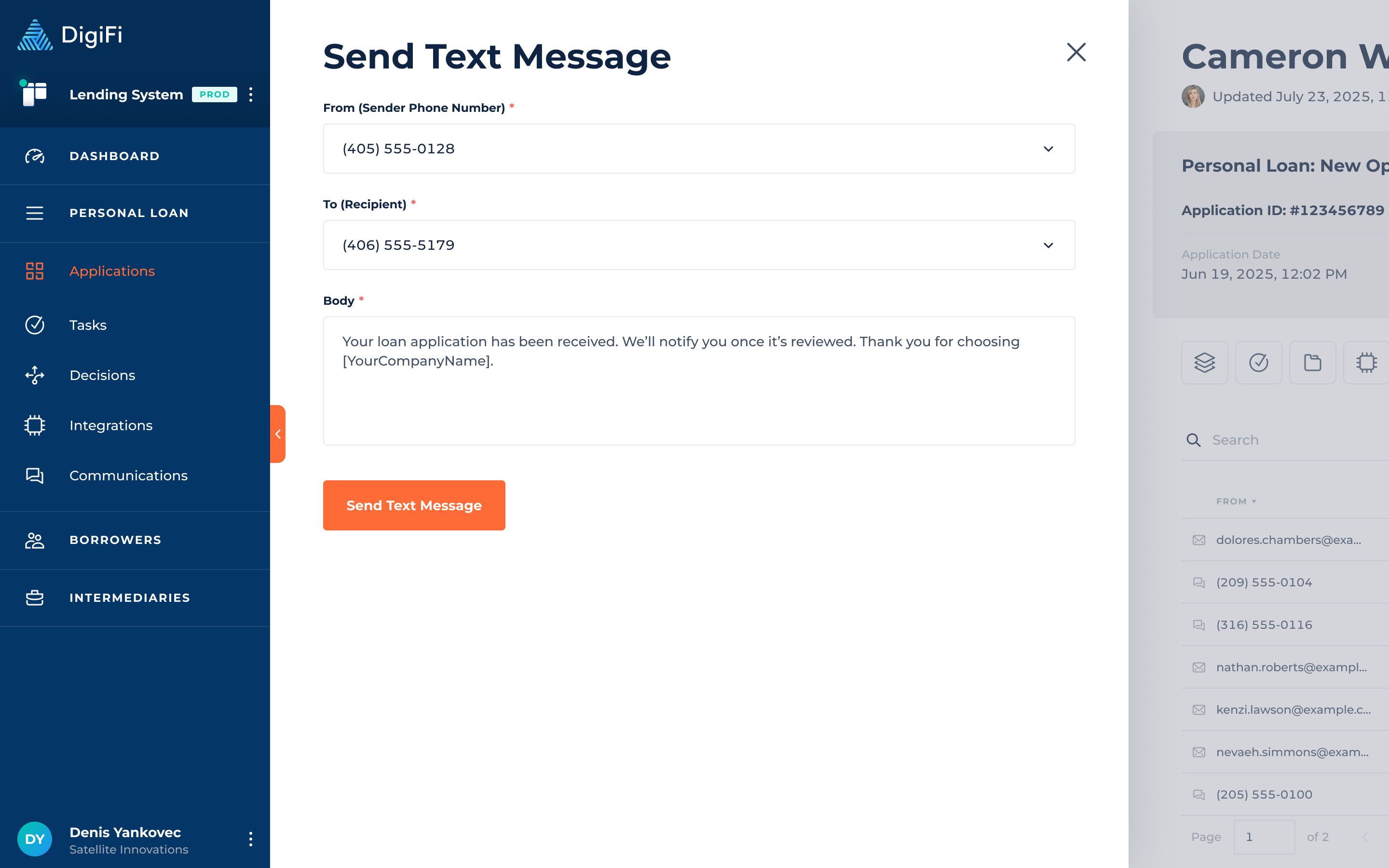
SMS messages support:
- Selection of sender phone number from verified Twilio numbers
- Borrower, Co-Borrower, Intermediary, a phone number variable or free phone number recipients
- Plain text message body with support for system variables
All sent text messages are logged and visible in the Communications tab.
Built-in Twilio Integration
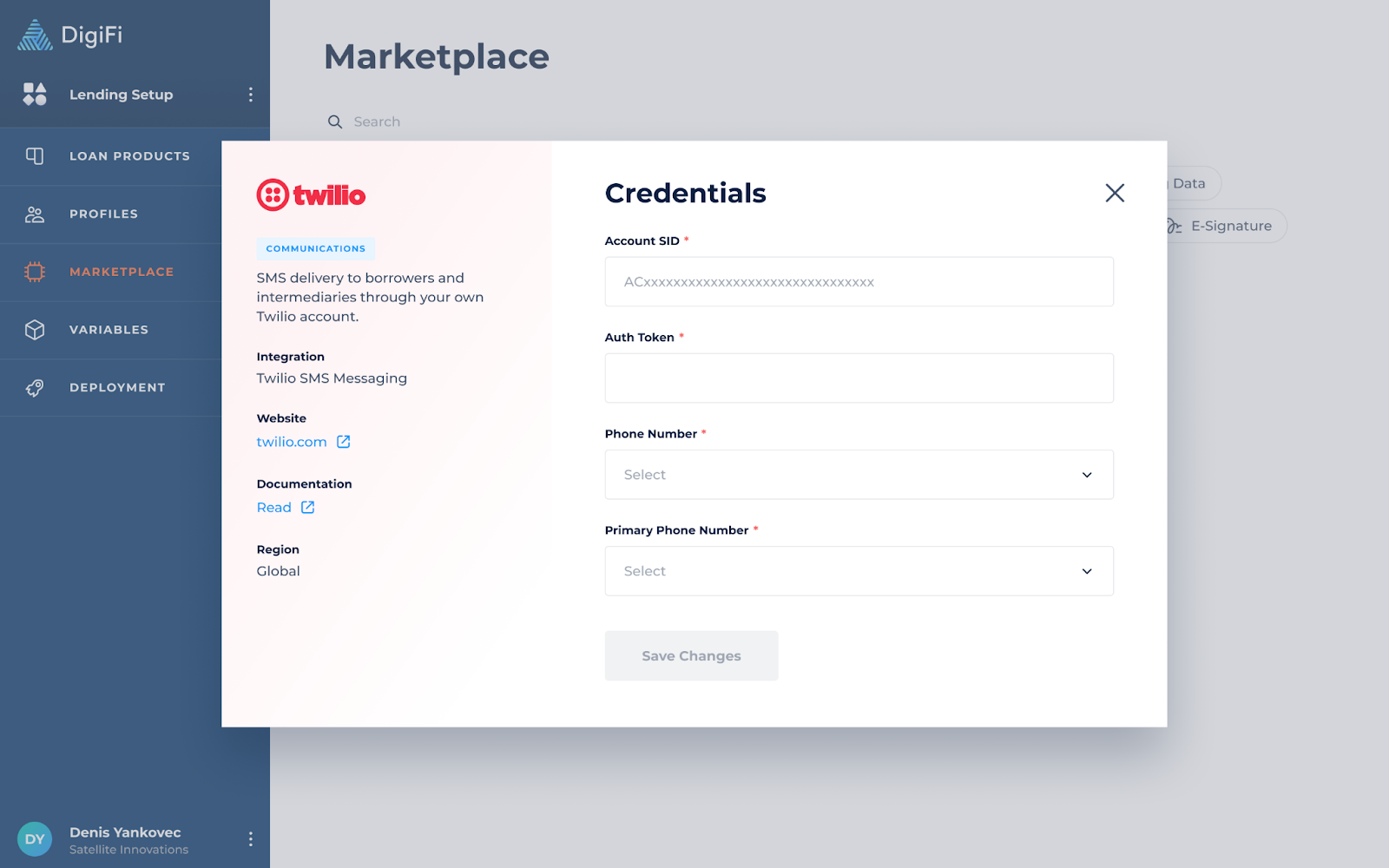
A new built-in Twilio integration is now available in the Integration Marketplace, allowing you to send and track text messages directly within the platform. To start sending messages, create a Twilio account, purchase a phone number, and connect it using the Twilio integration card.
The integration lets you connect all your purchased numbers and select a primary phone number for sending system messages, such as invitations. Once set up, you can send text messages both manually and automatically.
Manual Communication Logging
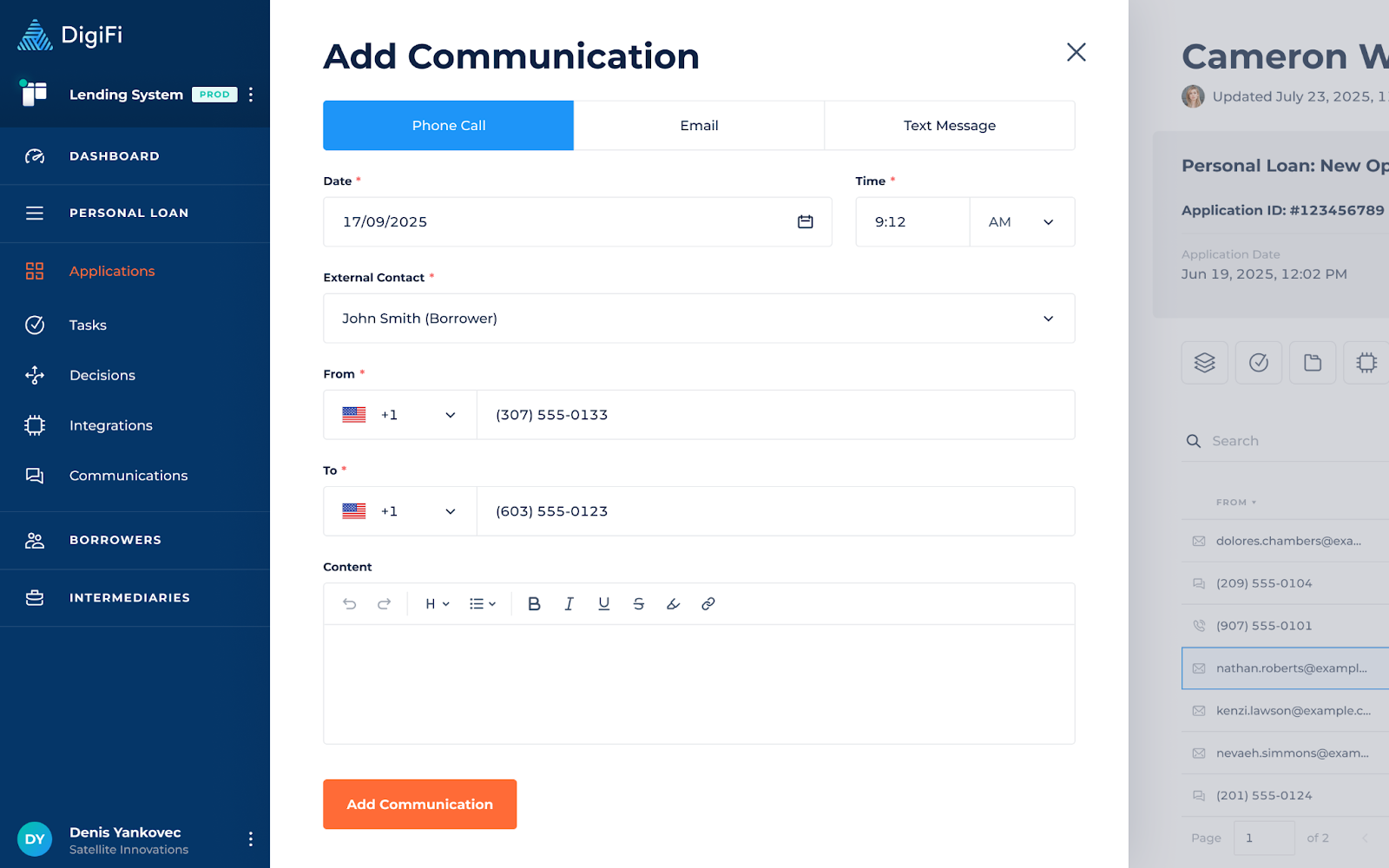
In addition to automatically logging emails and text messages, users can now manually record communications that occur outside of DigiFi, including:
- Phone calls
- External emails
- External text messages
Manually logged communications appear alongside automated and in-platform messages, providing a complete communication timeline for each application.
Communications API
A new Communications API has already been introduced to programmatically manage communication records.
The API supports creating, retrieving, updating, searching, and deleting communication records for all communication types, including emails, SMS, and phone calls. Communication records created via the API are fully integrated into the DigiFi Communications system and associated with the correct application, borrower, and intermediary.
BCC Email Tracking Updates
We are introducing updates to how email tracking works. BCC parsing remains fully supported with backward compatibility, however, a new BCC format has been introduced to enable accurate email tracking at the application level.
Currently, BCC-based tracking associates emails with borrowers or intermediaries, which may not always reflect the correct application. We recommend migrating to the new format or using the Communications API within the next 1–2 months.
The new BCC address must be dynamically generated and placed in the BCC field, including the Organization ID, Application ID, and Mode.
Here's the new structure for BCC email addresses:
- For Test mode:
o-development-{organizationId}-{applicationId}@{domain} - For Prod mode:
o-{organizationId}-{applicationId}@{domain}
Example: o-6650fb1536935f8db3a13a89-69498b0ffac66b024356020c@mail.digifi.io
Loan Product Configuration Improvements
We’ve also made a couple of minor but impactful improvements to loan product setup:
-
Expanded Decline Reason Limit
The character limit for Decline Reasons has been increased from 100 to 300 characters, allowing for clearer and more detailed explanations.
-
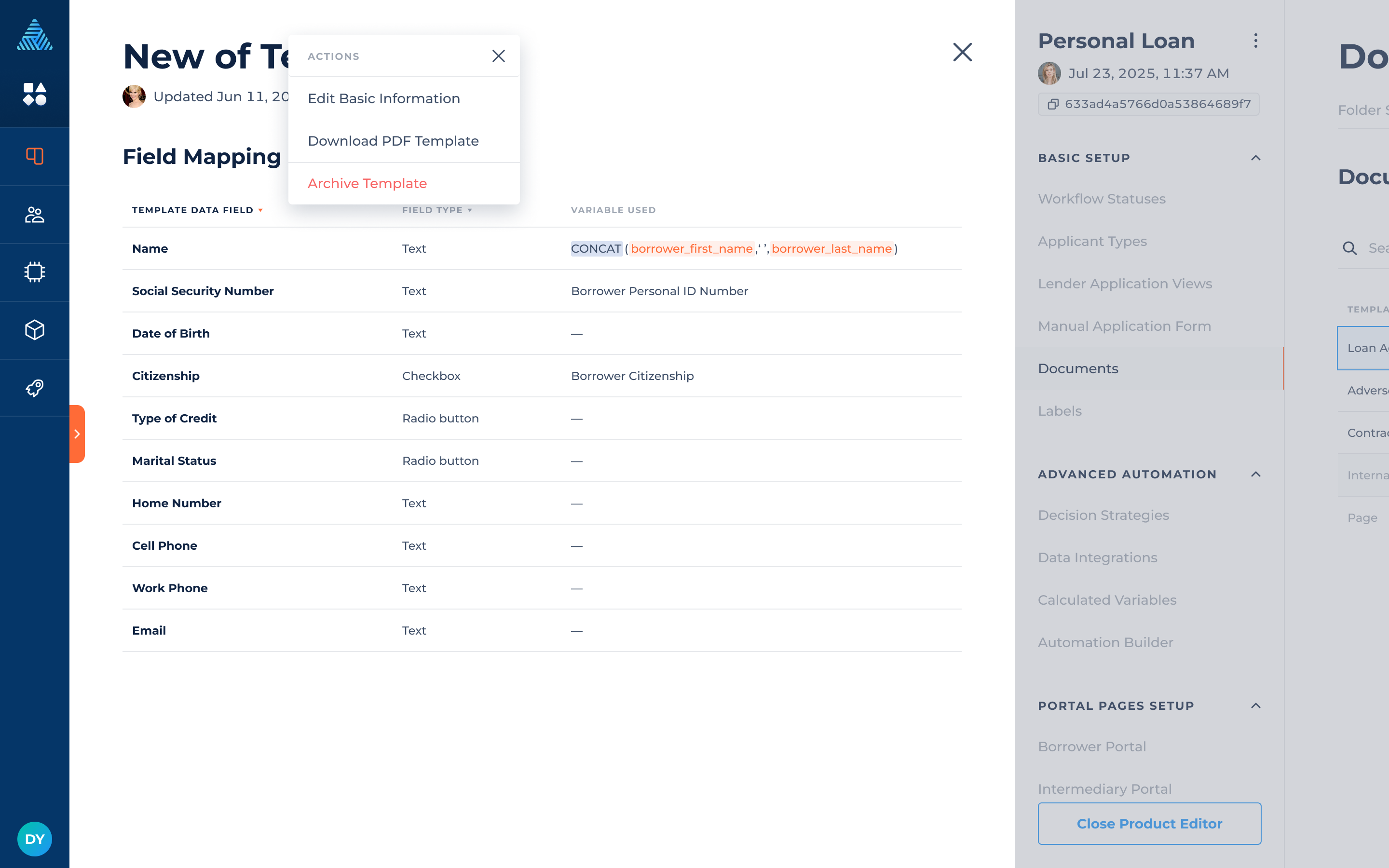
Downloadable PDF Templates in Document Templates
You can now download uploaded fillable PDF templates directly from the Document Templates UI. This makes it easier to review, reuse, and troubleshoot document templates eliminating the need to search for a file through local folders.