
March 31, 2026
This release introduces a flexible Custom Field Validation system, allowing you to define frontend validation rules for variables across profiles, application views, and portal pages. The update also includes minor UI consistency fixes and backend optimizations for improved stability and performance.
Release Details
Custom Field Validation
DigiFi now supports custom validation rules for variables, enabling more flexible and precise control over user input across the platform. Validation rules can include custom conditions and user-defined error messages to enforce business-specific logic.
Where Custom Validation is Available
Custom validation can be configured for fields in:
- Borrower and Intermediary Profiles
- Lender Application Views
- Manual Application Forms (Application Details)
- Lending Portal Pages
Configure Custom Validation
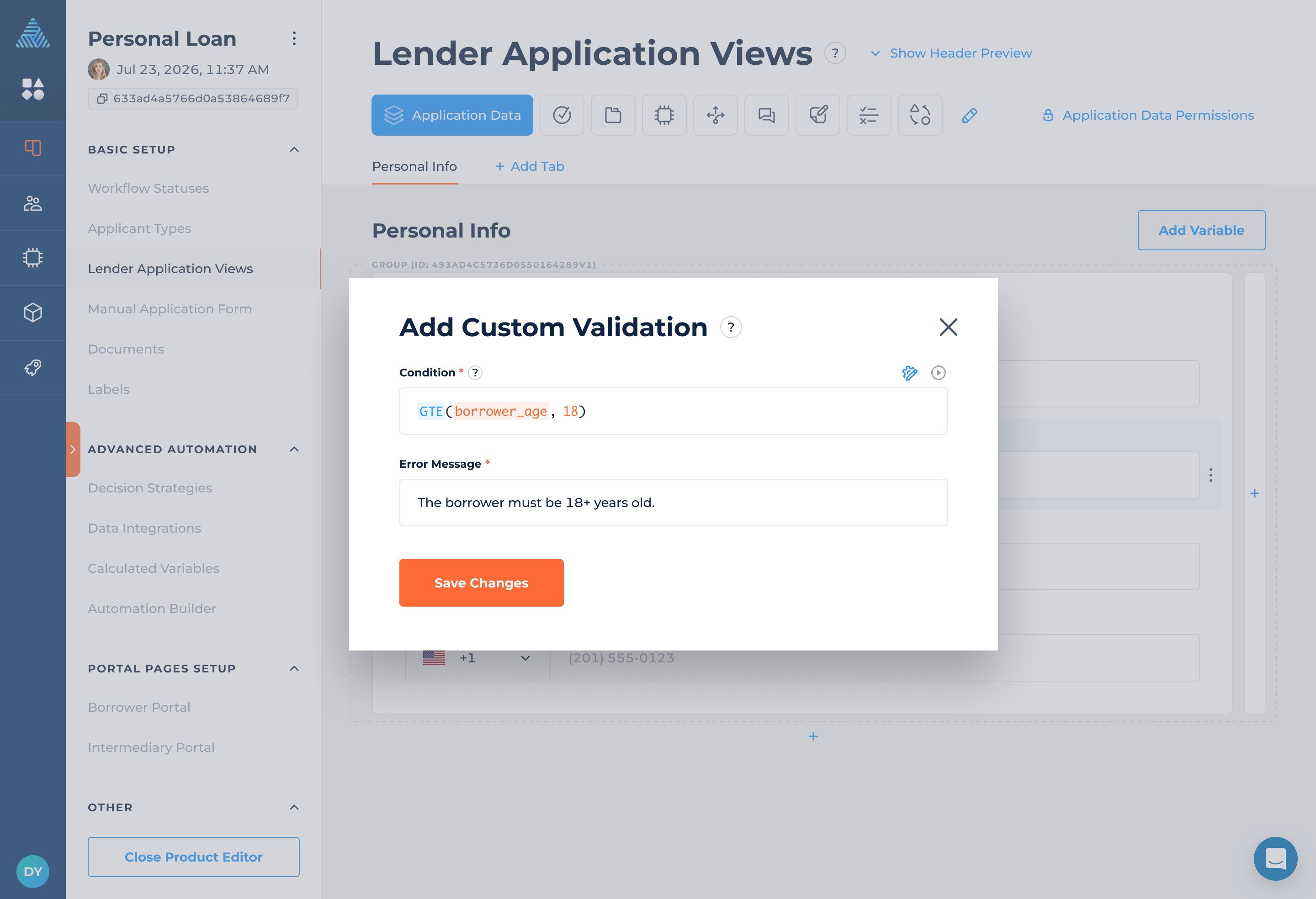
You can now define validation rules directly on fields:
- Add validation from the field options menu
- Define a validation condition
- Set a custom error message displayed when validation fails
- Edit or remove validation at any time
Variables with configured validation display an indicator icon.

How Validation Works
Frontend validation: Rules run directly in the browser as users input data.
Error handling: If a value fails validation, a custom error message is displayed and users cannot proceed until it’s corrected.
Scope of validation:
- Only visible variables are validated.
- Variables hidden via conditional display are ignored.
- Calculated variables are excluded from validation.
Replacement of Variable-Level Validation
The previous Min/Max validation at the variable level has been removed. All validation is now managed at the field level using the new custom validation system, providing greater flexibility and control.
Note: Existing Min/Max validation rules have been automatically migrated to the new Custom Field Validation system. The logic remains the same, so no action is required on your part.
Example
A variable with a minimum value of 18 and a maximum value of 65 is automatically converted into the following validation condition:
AND(minimum_age >= 18, minimum_age <= 65)
The migrated validation applies to all places where the field is displayed or used.
Webhooks: Communication Events
Communications-related events have been added to DigiFi Webhooks, allowing external systems to react to communication activity in real time, including email and SMS interactions as well as communication record updates.
New webhook events:
communication.created– triggered when a new communication is createdcommunication.updated– triggered when an existing communication is modifiedcommunication.deleted– triggered when a communication record is removed
For more details, see the DigiFi Webhooks Documentation.
Data Integration: Additional Configuration Updates
We’ve added new configuration options to support more flexible OAuth2 integrations with external providers.
Custom OAuth2 Token Mapping
You can now define custom paths for access token and expiration values when the provider’s response does not follow standard OAuth2 field names (such as access_token and expires_in).
This allows you to integrate with APIs that return tokens in non-standard formats.
Where to set up: Lending Setup > Loan Product > Data Integration > Advanced Configuration > Additional Configuration
Example
If the provider returns a response like:
{
  "response": {
    "sid": "XYZ123",
    "ttl": 3600
  }
}
You can configure the custom token paths as follows:
{
  "oAuth": {
    "customTokenPaths": {
      "accessToken": "response.sid",
      "expiresIn": "response.ttl"
    }
  }
}
If no custom paths are specified, the system will automatically fall back to the default OAuth2 fields (access_token and expires_in).