
May 4, 2026
This release focuses on platform flexibility, security enhancements, and improved user workflows, including updates to Address handling, Intermediary Portal capabilities, authentication, and Data Integrations.
Release Details
Google Places API Upgrade & Address Configuration Enhancements
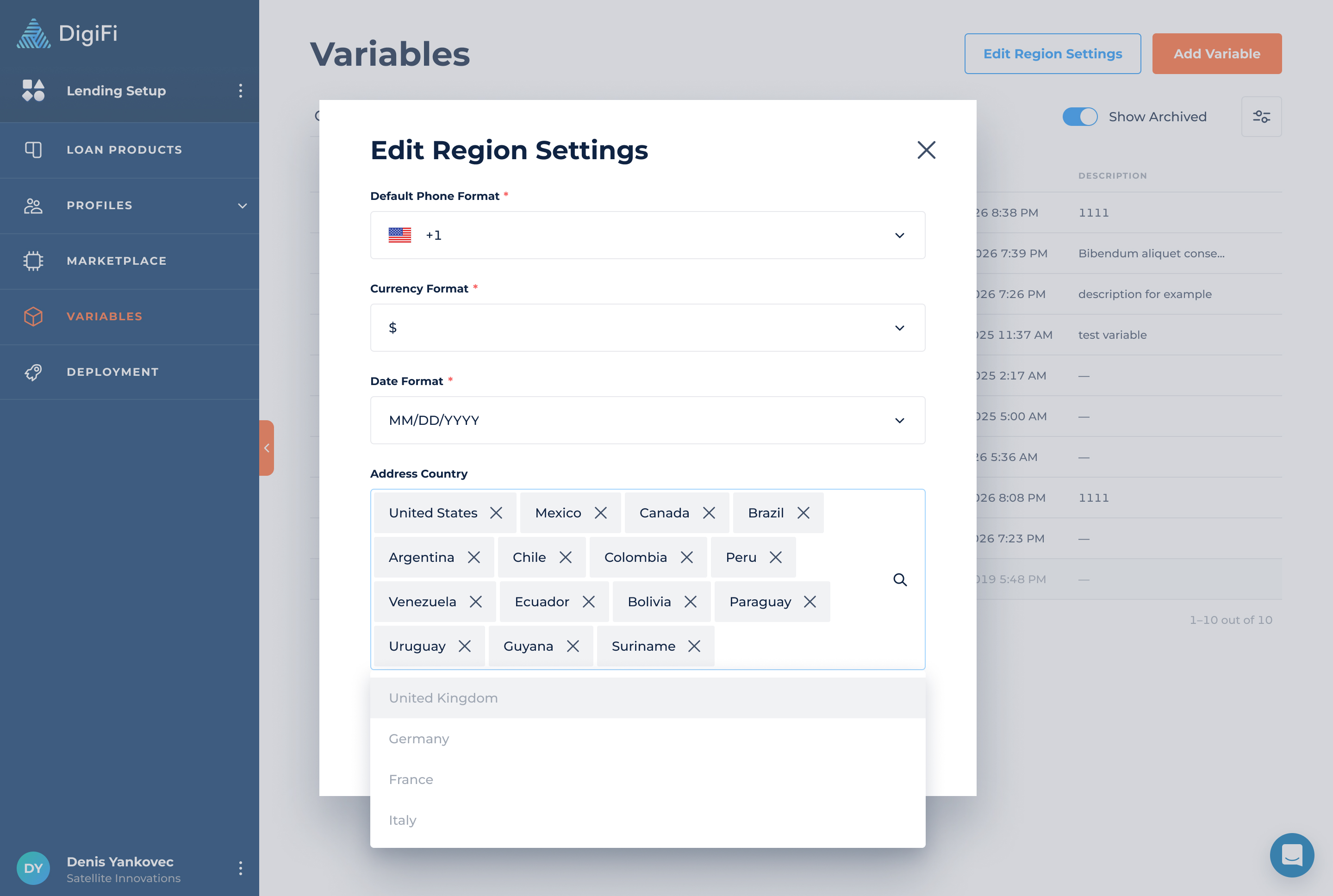
We’ve upgraded DigiFi to the latest supported version of the Google Places API to ensure continued reliability and improved address search functionality.
What’s new:
-
The Address Country field in Region Settings is now optional
-
You can now:
- Leave it empty to allow global address search
- Select one or multiple countries to restrict results
-
Supports multi-country address autocomplete (up to 15 countries per Google API limits)
These changes make it easier to work with addresses for lenders operating across multiple regions.
Intermediary Portal: Invite Borrowers to Apply
Intermediaries can now invite borrowers to start an application directly from the portal.
How it works:
-
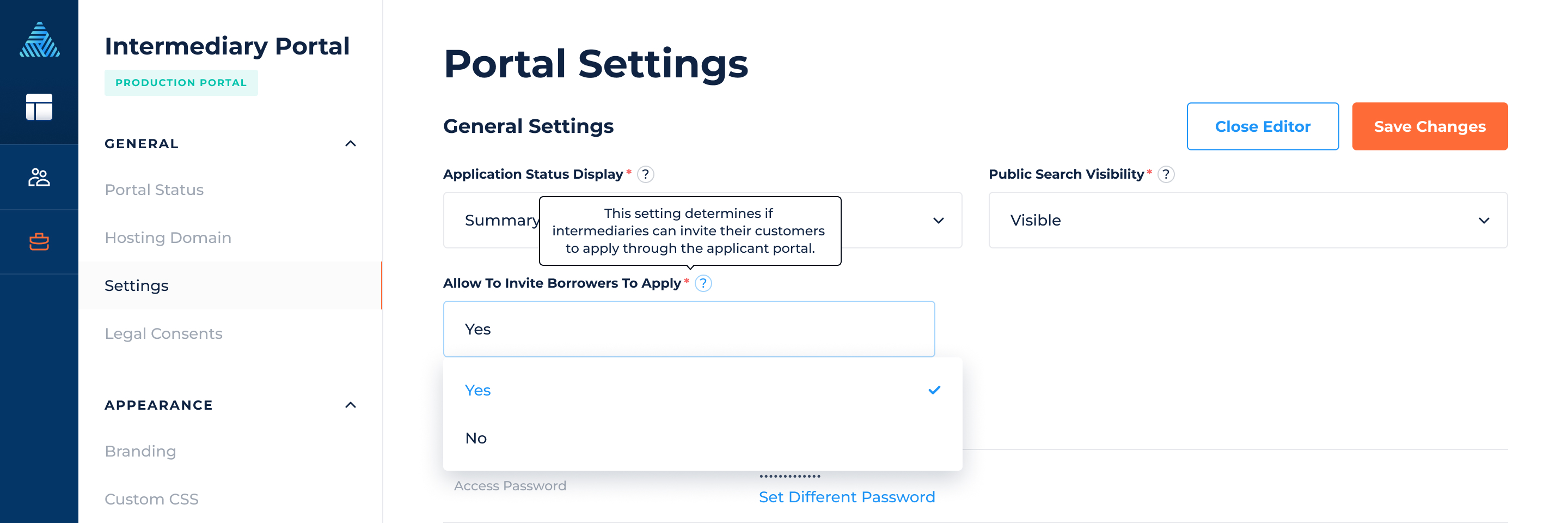
New setting disabled by default.
Digital Portals Setup → Intermediary Portal → Settings → Allow To Invite Borrowers To Apply
-
When enabled:
-
Intermediaries see a new “Invite Customer” button and can click on it.
-
When clicked, they can:
-
Send an email invitation
-
Copy a direct application link
-
-
Make sure the borrower portal is active and working before allowing intermediaries to send invitations.
Key functionality:
-
Invitation links direct borrowers to the Borrower Portal
-
Applications are automatically linked to the right intermediary — no manual steps needed
-
Works seamlessly across web, tablet, and mobile
-
Emails and portal experience support multiple languages
Make it faster and easier to bring borrowers into the process, reduce back-and-forth, and ensure everything is automatically tracked and connected.

Data Integration Enhancements
File Handling Improvements
You can now control which files are included when sending data to external systems.
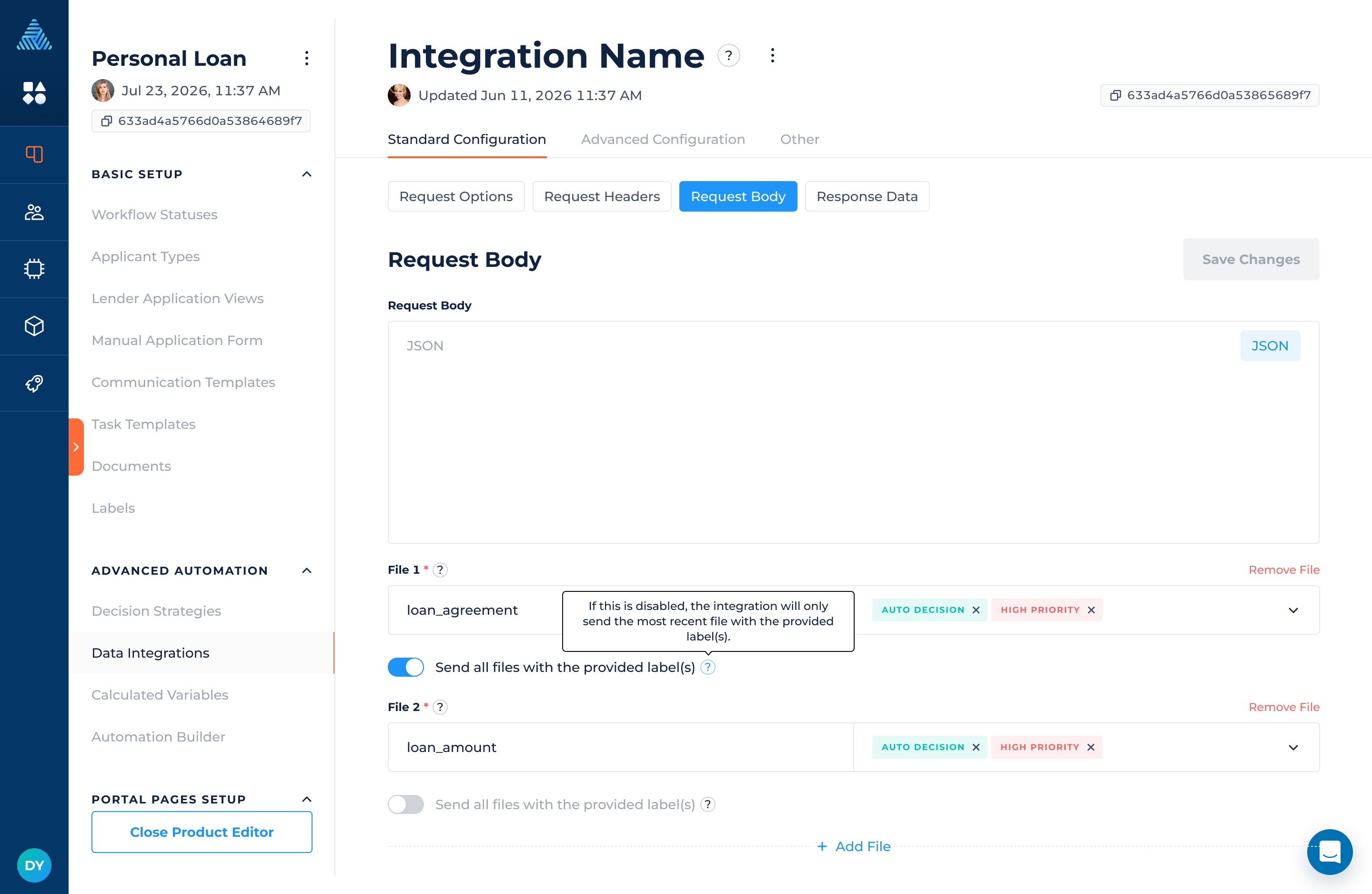
If you select the multipart/form-data content type in the headers, you can transfer files through an integration. By default, DigiFi sends only the most recent file for each label. This behavior is preserved to avoid unintended changes.
You can now enable a new option to send all files with a specific label when needed.
How it works:
-
A new toggle is available when configuring file attachments in Data Integrations
-
When enabled, all files with the selected label are included in the request
-
When disabled (default), only the most recent file is sent
Key-Pair JWT Authentication
We’ve expanded Additional Configuration to support more advanced authentication scenarios.
This enables integration with providers that require JWT-based authentication (such as Snowflake and other enterprise platforms).
- Data Integrations now support JWT-based authentication using private keys .
- Enables integration with providers requiring secure token-based authentication (e.g., Snowflake)
Where to configure:
Lending Setup → Loan Product → Data Integration → Advanced Configuration → Additional Configuration
This enhancement improves compatibility with enterprise-grade external systems.
For example:
{
  "auth": {
    "config": {
      "algorithm": "RS256",
      "issuer": "ISSUER",
      "subject": "NAME_API_SVC",
      "audience": "https://<account>.name.com",
      "tokenTtlSeconds": 3600,
      "privateKey": "-----BEGIN PRIVATE KEY-----\n{value of Private key}\n-----END PRIVATE KEY-----"
    },
    "type": "signed_jwt"
  }
}