March 16, 2026
This release introduces multi-file upload capabilities across the platform, allowing users to upload several files at once in documents, tasks, emails, and secure upload pages. The update also includes improvements to upload performance, file validation, progress visibility, and overall system stability.
Release Details
Multi-File Upload
Users can now upload multiple files at once instead of adding them one by one. This significantly reduces the time required to attach large numbers of documents and improves overall workflow efficiency.
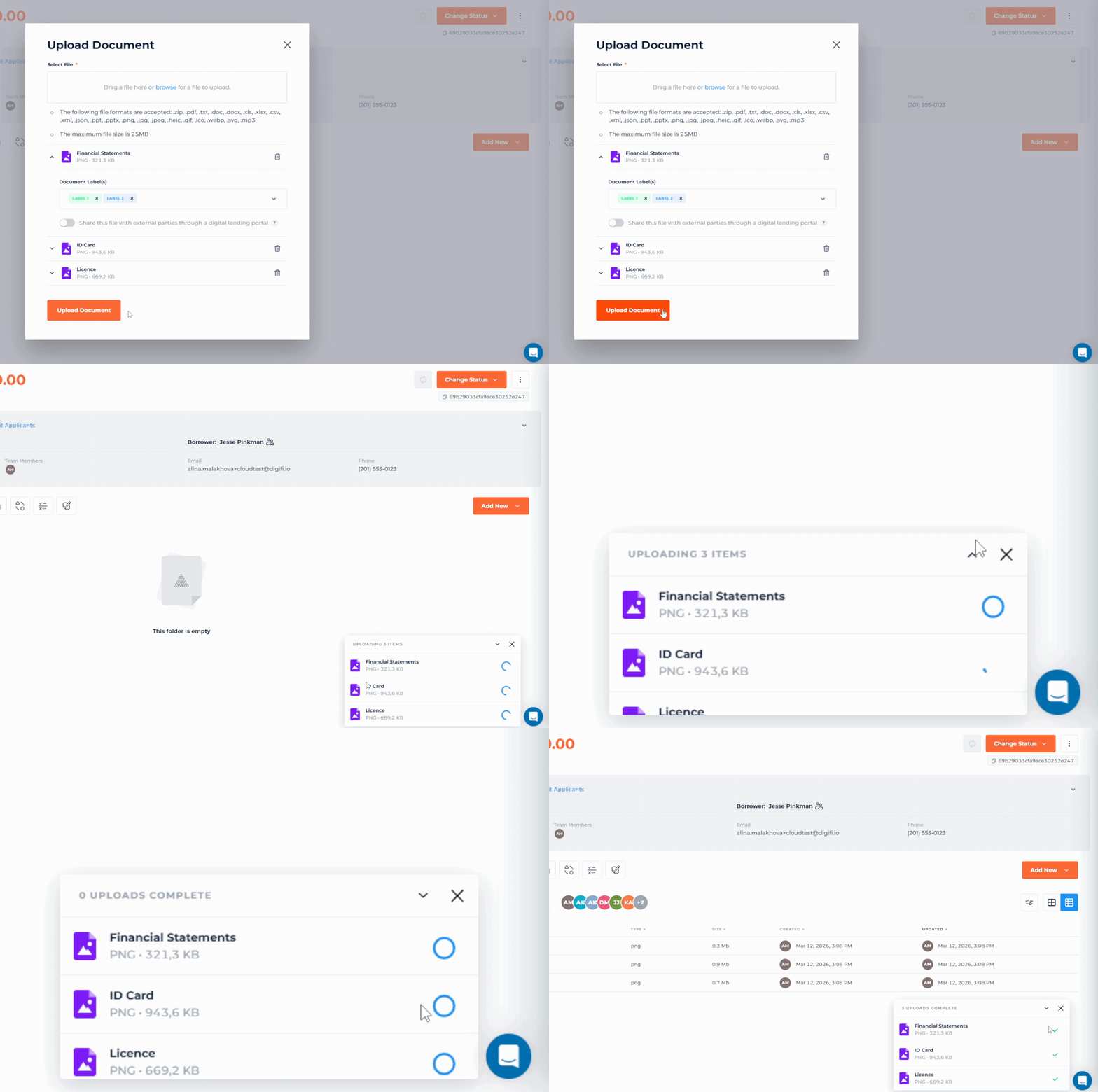
Files can be selected via drag-and-drop or through the file browser, and each upload is tracked through a dedicated progress window.
Where Multi-File Upload is Available
Multi-file upload is now supported in:
- Application > Documents
- Tasks > Documents
- Send Email attachments
- Task Element in Lending Portals
- Secure File Upload pages
Upload Experience Improvements
The upload flow has been redesigned to provide better visibility and control during file uploads.
Users can now:
- Select or drag-and-drop multiple files at once
- Review and remove selected files before uploading
- Assign labels and permissions to each uploaded document (hidden under a collapsible chevron, with the first file’s chevron open by default)
- Track upload progress for each file in a dedicated progress window
The progress window allows users to:
- Monitor upload status for each file
- Cancel individual uploads while processing
- Minimize or expand the upload panel
- Continue uploads in the background while navigating the system
If an upload fails or is canceled, the corresponding status is displayed for the file.
File Upload to Tasks in Lending Portals
For task-related file uploads:
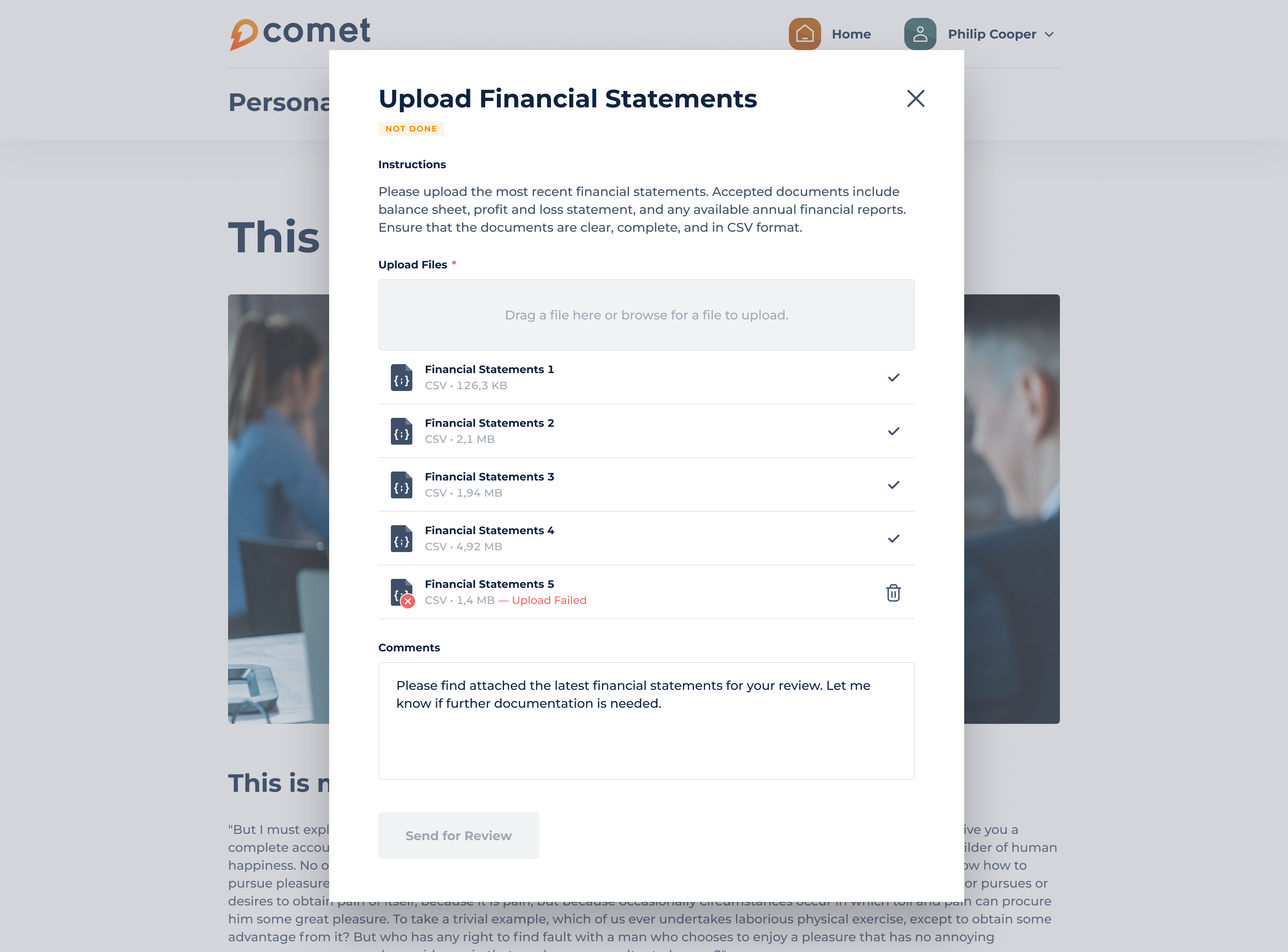
- Multiple files can now be added when submitting documents for review
- Files can be removed individually before submission
- The Send for Review button becomes available only after all selected files are uploaded successfully
The maximum number of uploaded documents in the Task element has been increased to 50 files per submission.