April 22, 2026
This release introduces PandaDoc as a new e-signature provider and updates the overall e-signature architecture to be provider-agnostic. This gives you more flexibility in managing document signing workflows and reduces dependency on a single provider.
The update also includes improvements to template management, portal signing experience, and backend optimizations for better performance and scalability.
Release Details
E-Signature Updates & PandaDoc Integration
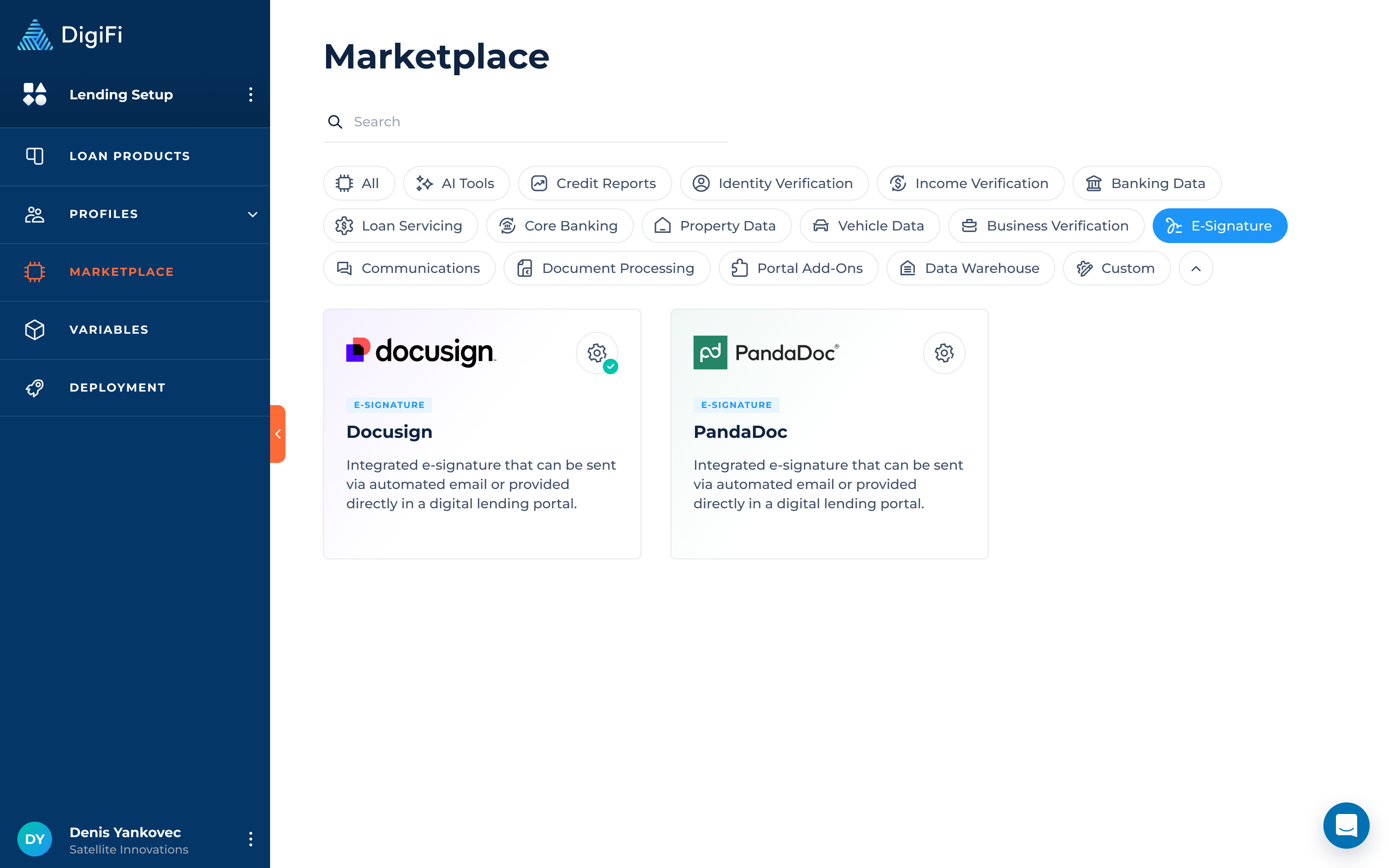
DigiFi now supports PandaDoc as an additional e-signature provider.
You can connect PandaDoc via the Marketplace using sandbox and production API keys, and start importing and sending documents for signature directly through DigiFi.
The Sandbox key enables sending PandaDoc documents for e-signature in the Lending System (Test), while the Production key enables sending documents in the Lending System (Prod).
E-Signature Templates Management
The e-signature template flow has been redesigned to support multiple providers.
You can now:
- Import templates from different providers (PandaDoc, Docusign).
- Manage all templates in a single table, with unified sorting and filtering by provider.
- Activate or deactivate templates based on readiness.
Templates must be fully configured (recipients and fields mapped) before they can be activated and used.
Template Configuration & Mapping
When importing templates from PandaDoc, you can configure how recipients and fields are mapped within DigiFi:
- Recipient roles from the template can be mapped to Borrower, Co-Borrower, Intermediary, or custom entities
- When a role is mapped to a standard entity (Borrower, Co-Borrower, or Intermediary), DigiFi automatically passes standard recipient data (such as first name, last name, email, and phone number) to PandaDoc. If “Other” is selected, you must manually map the required fields.
- In the Field Mapping section, only custom variables from PandaDoc templates are available for mapping in DigiFi. Other variable types (such as role variables or system variables) are not supported for mapping.
Mapping BehaviorOnly fields with a defined Merge Field in PandaDoc are available for mapping in DigiFi. If a field does not have a Merge Field value, it will not appear in the mapping list.
If multiple fields in PandaDoc share the same Merge Field, only one of them will be displayed in DigiFi for mapping.
This ensures documents are correctly pre-filled before sending for signature.
Sending Documents for E-Signature
Sending documents has been unified across the platform.
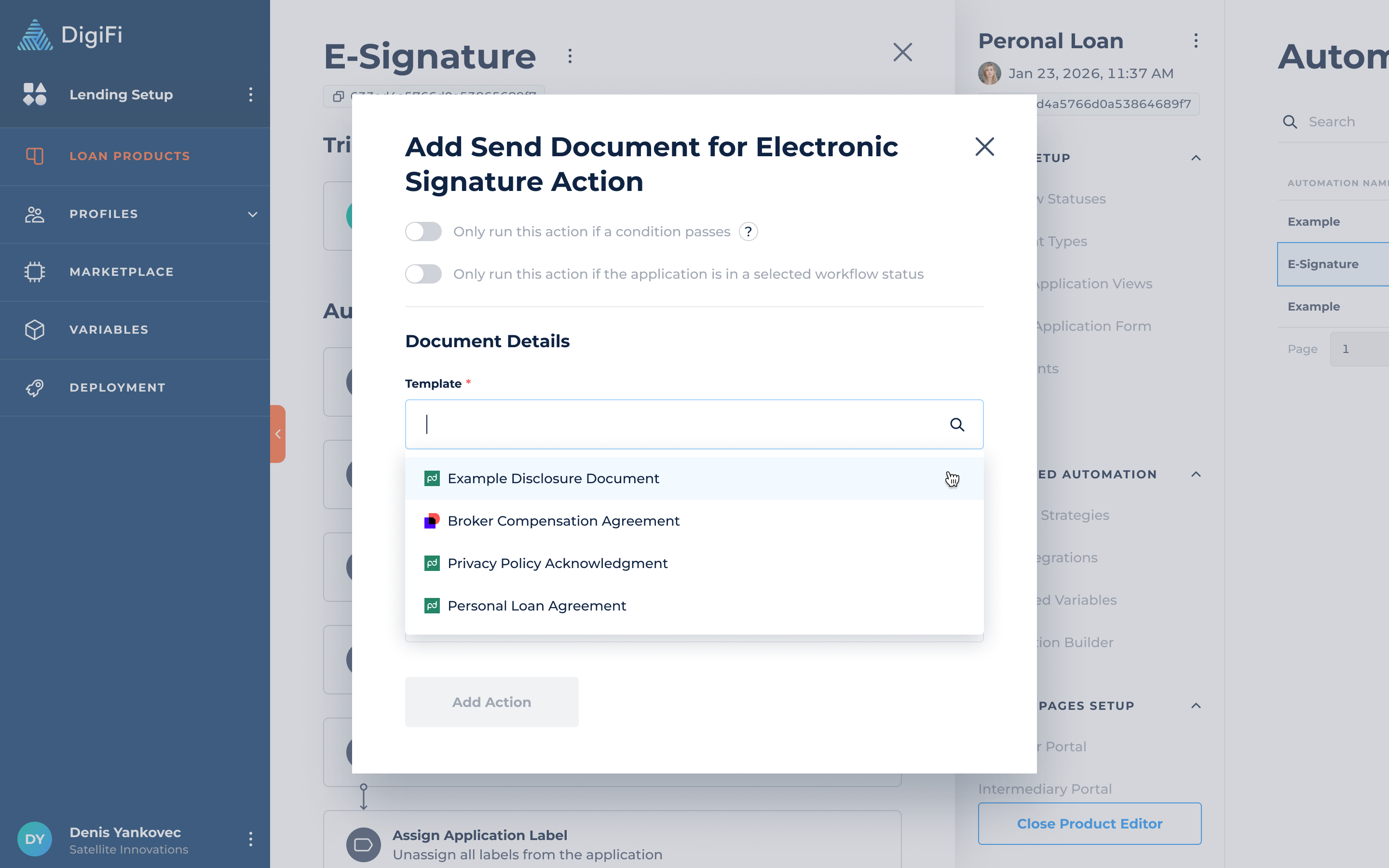
You can now select from all active templates (across providers) when:
- Sending documents manually from an application
- Using the “Send Document for E-Signature” action in Automation Builder
If no e-signature provider is connected, the action will be disabled.
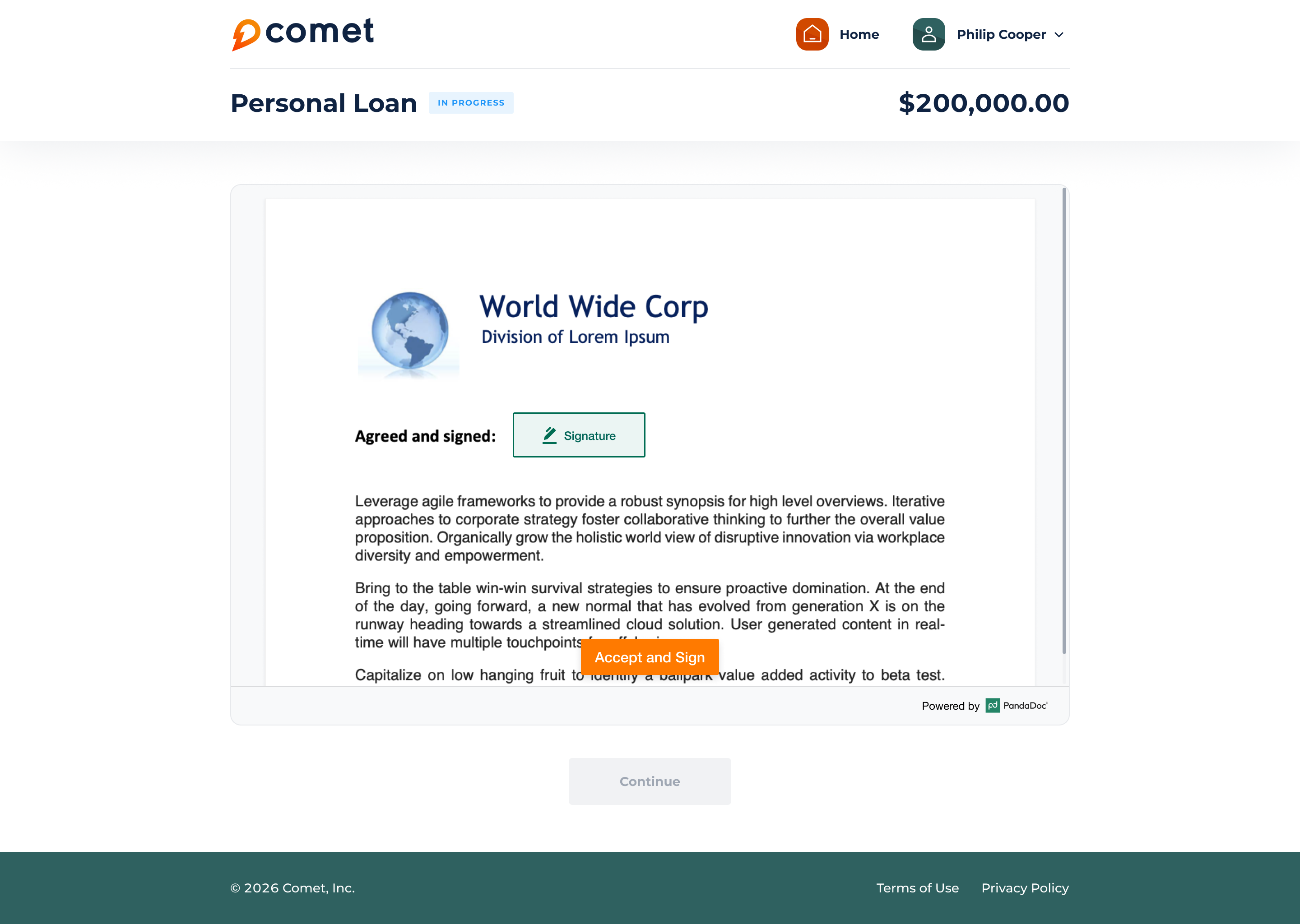
Lending Portals Signing
A new PandaDoc e-signature element is now available in Lending Portals.
This allows users to sign documents directly within the portal via an embedded signing experience.
Key behavior:
- Documents are displayed directly in the portal when available for signing
- If multiple documents are pending, they are shown one at a time
- Clear states are shown for no documents, loading errors, or disconnected integrations
- Page actions (such as buttons) dynamically respond to the signing state
E-Signature elements are now provider-specific, with separate Docusign and PandaDoc elements.