
June 15, 2026
This release introduces reusable Communication and Task Templates to improve consistency, scalability, and maintainability across automation and application workflows. It also includes important enhancements to task management and the task views, along with improvements to communication workflows and platform stability.
Release Details
Communication Templates
This update introduces reusable Email and Text Message Templates, replacing fragmented action-based messaging with a centralized template system.
Previously, email and SMS content was defined separately inside automated workflows and application actions, leading to duplication and inconsistent messaging across the platform.
With this release, communication content can now be created, managed, and reused as templates in Lending Setup > Basic Setup > Communication Templates and applied across Automation Builder and Application-level communications.
Key Capabilities
You can now:
- Create reusable Email and Text Message templates in Lending Setup
- Define standard email and text message content and configuration
- Use application variables inside templates
- Search, edit, duplicate, archive, and manage templates in a centralized view
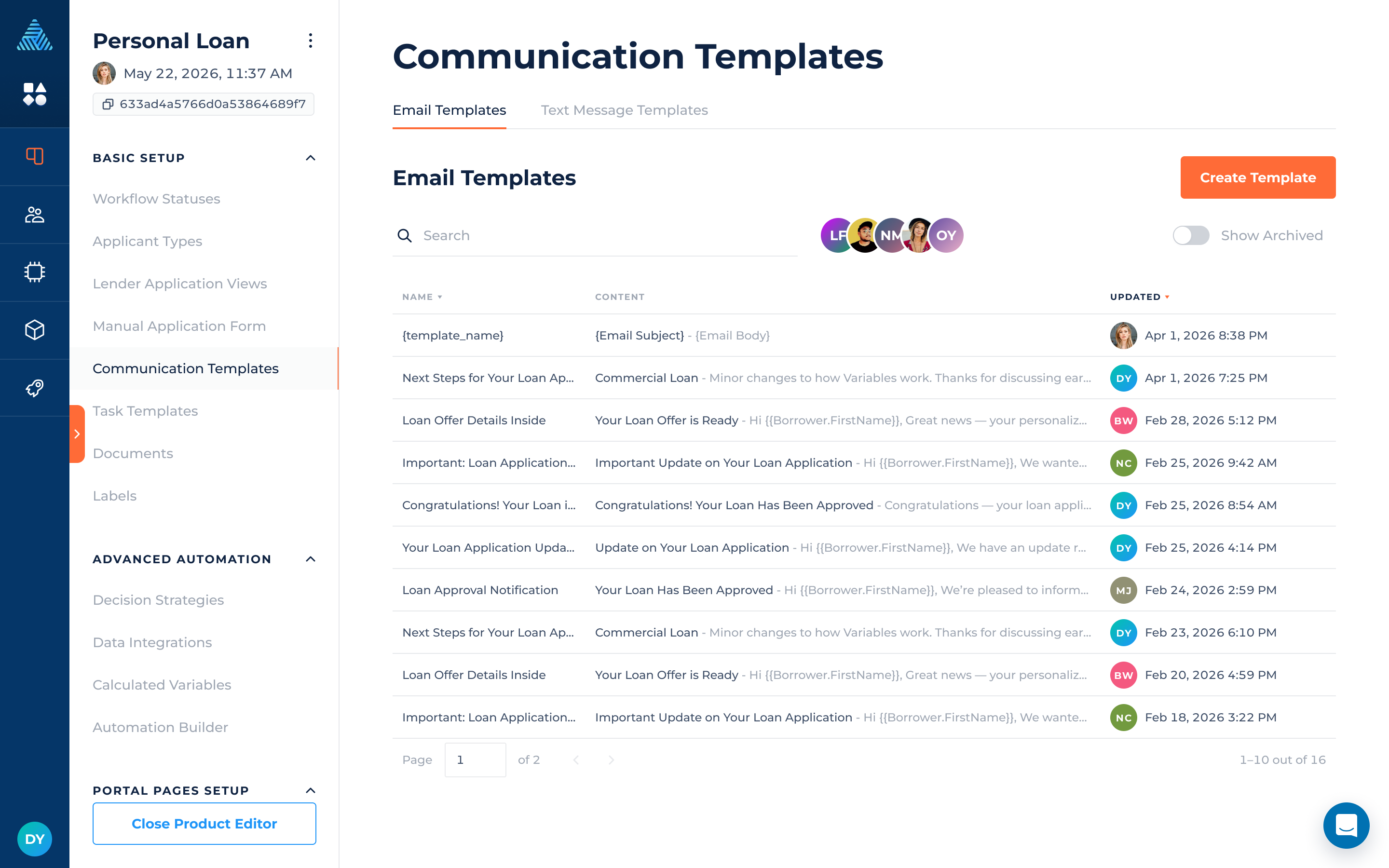
Template Configuration
Templates define the content and configuration used when sending communications.
Email Templates
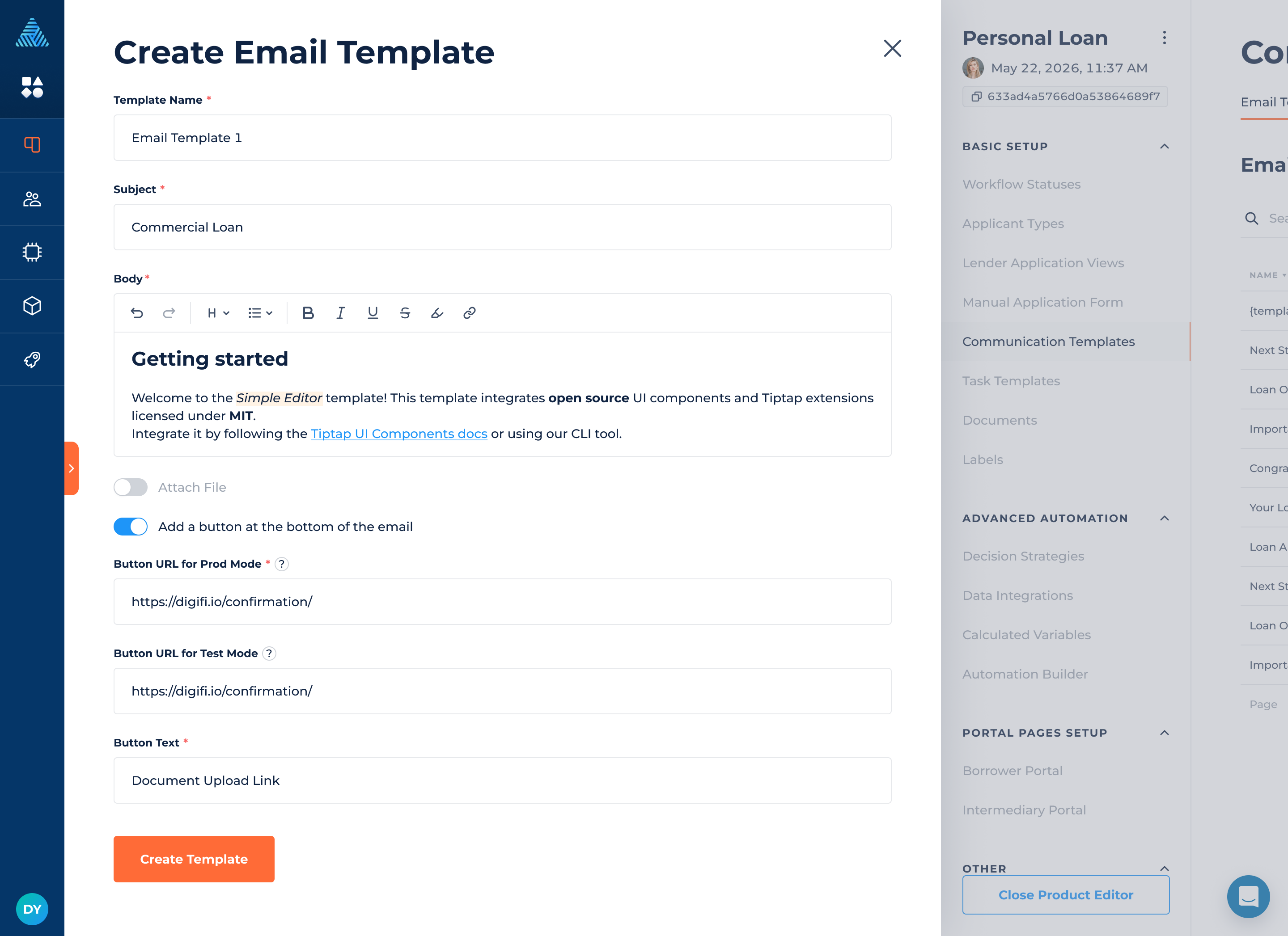
Email templates define the structure and content of outgoing emails:
- Subject and rich text body (with variables support)
- Attachments by label
- Button configuration
The email editor now automatically expands based on content, improving readability and editing experience across templates and communication actions.
Text Message Templates
Text message templates define reusable SMS content:
- SMS message body
- Variable support for dynamic content
Where Templates Are Available
Communication templates can now be used in:
- Automation Builder > Automation > Actions > Communications
- Application > Communications > Send Email / Send Text Message actions
Manual Communication (Application-level)
When sending communication from the application:
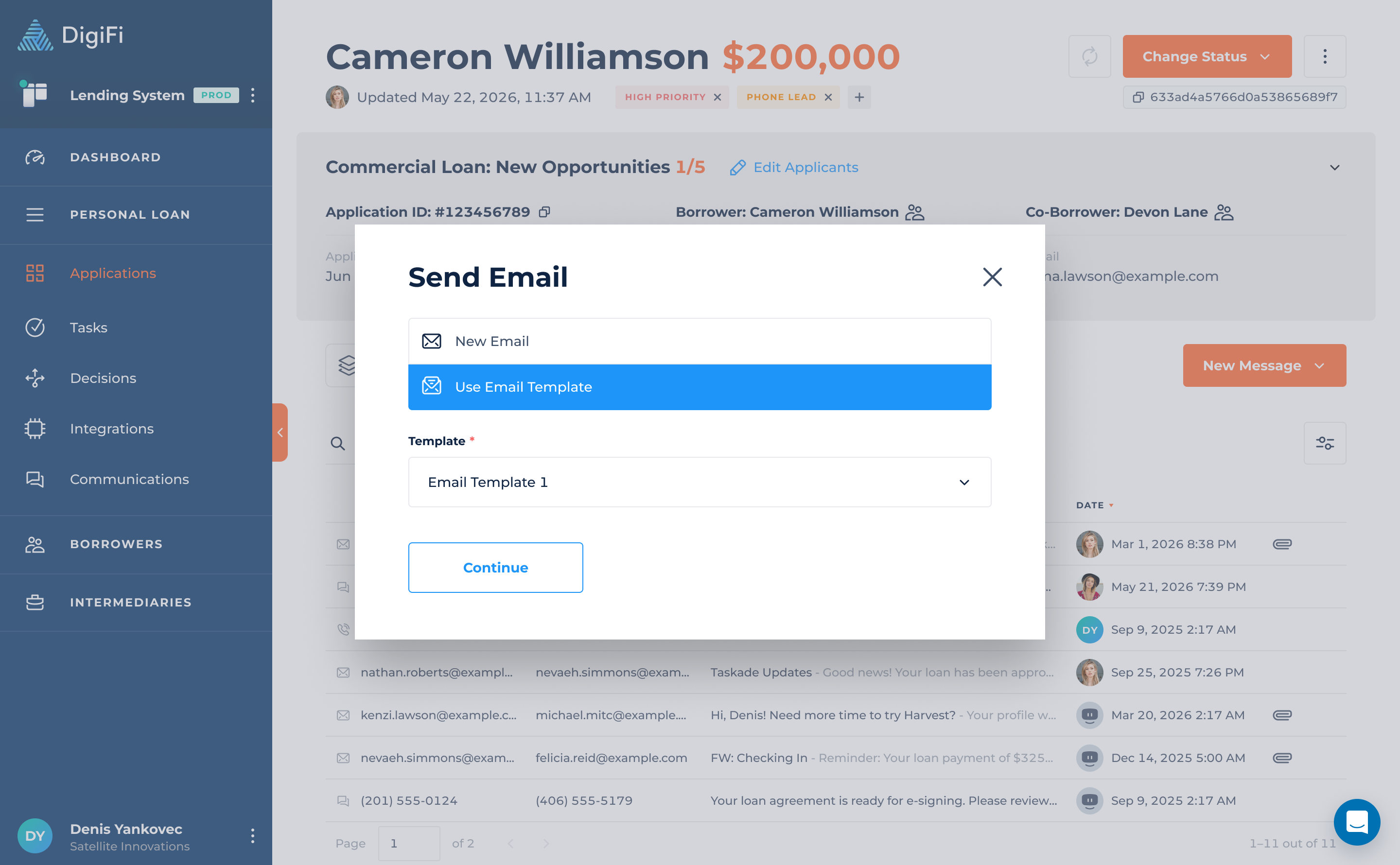
- Users can choose between creating a new message or using a template
- Selecting a template pre-fills all configured content
- Content can still be edited before sending
- Any changes do not affect the original template
Email Address and Phone Number variables in Application Details and Profiles now include quick actions on hover:
- Copy value
- Send Email / Send Text Message (Application Details only)
Automation Builder
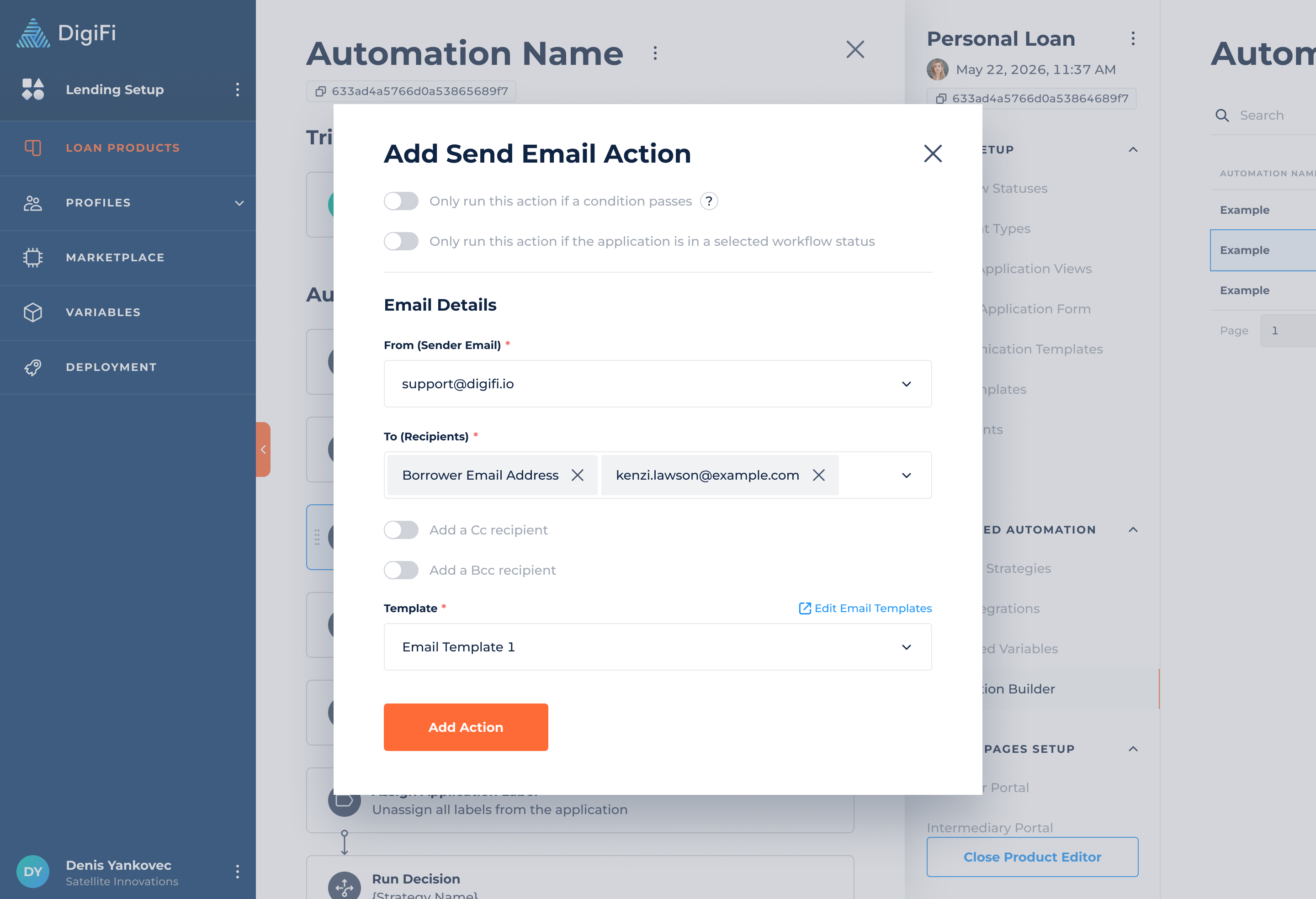
When configuring automated communication actions:
- Users select an existing Email or Text Message template
- Recipients and delivery conditions are configured separately in the action
- The selected template defines the message content
- No manual message composition is required inside the workflow step
When selecting “Send this document in an email after it is generated” in the Generate Document action, email configuration is also replaced with a template selector.
Task Templates
This release also introduces reusable Task Templates and a redesigned Task Details experience, improving how tasks are created, managed, and executed across the platform.
Previously, tasks created via automation were configured independently, making reuse and standardization difficult. This update introduces structured templates and a more powerful task execution interface.
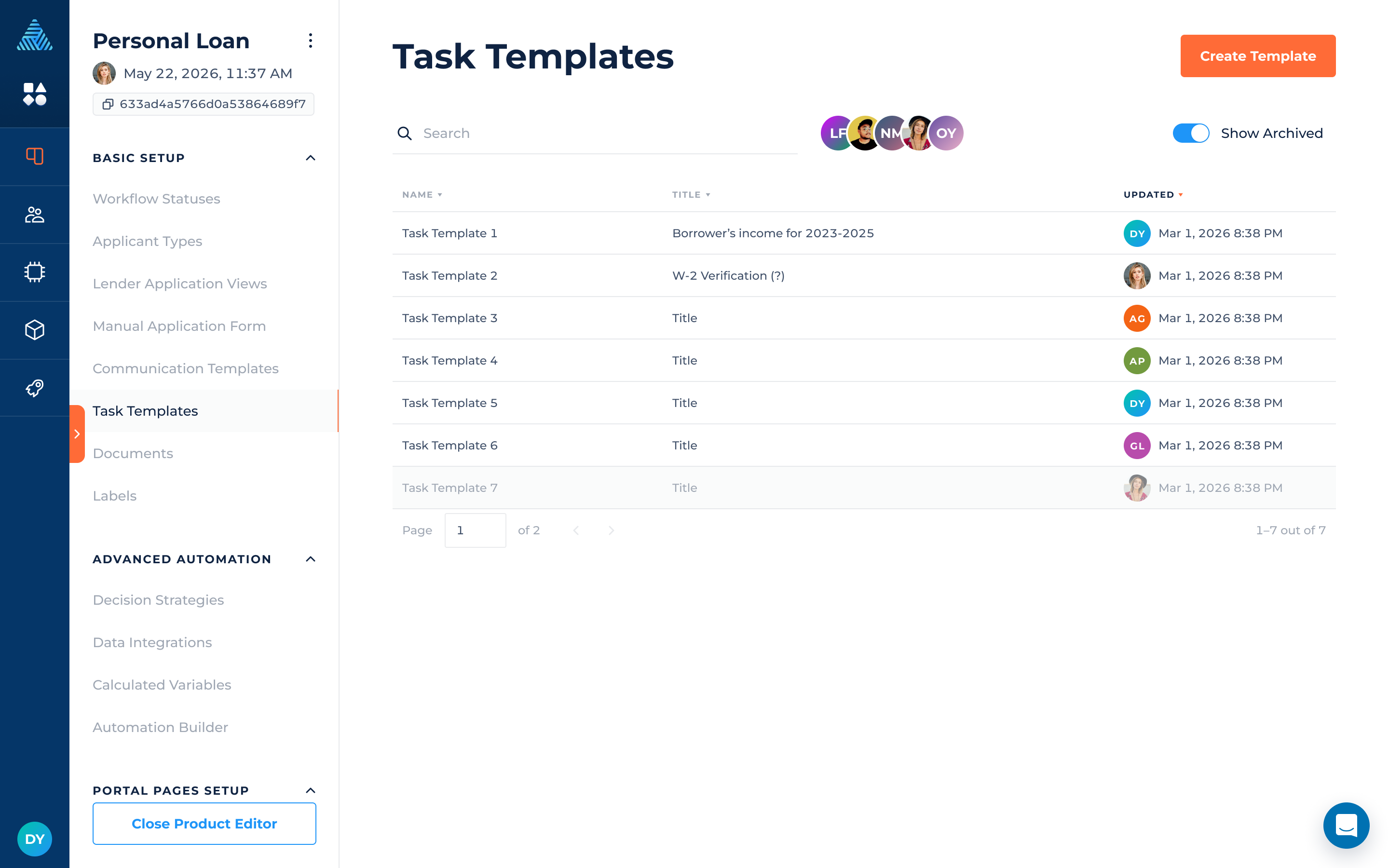
With this release, task configuration can now be created, managed, and reused as templates in Lending Setup > Basic Setup > Task Templates, and applied across Automation Builder and Application-level task creation.
Centralized Task Management
You can now:
- Create reusable Task Templates in Lending Setup
- Define task structure once and reuse across workflows
- Edit, duplicate, archive, and manage templates in a unified table view
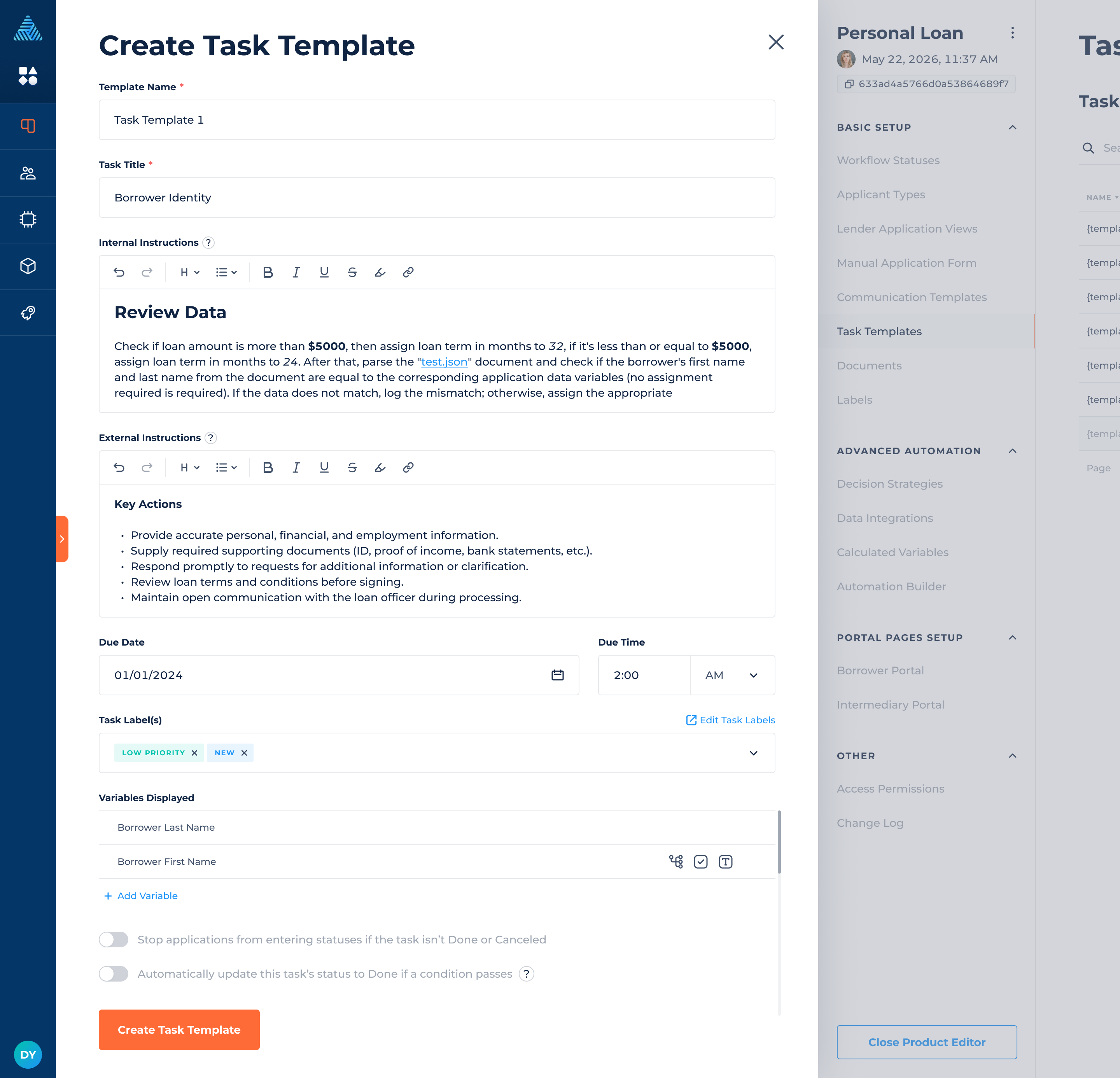
Template Configuration
Task templates include:
- Task title and instructions
- Labels and due date logic
- Status blocking conditions
- Variable configuration, now managed exclusively through templates to ensure consistency and reuse
Where Templates Are Available
Task templates can now be used in:
- Automation Builder > Automation > Actions > Create Task
- Application > Tasks > Create Task
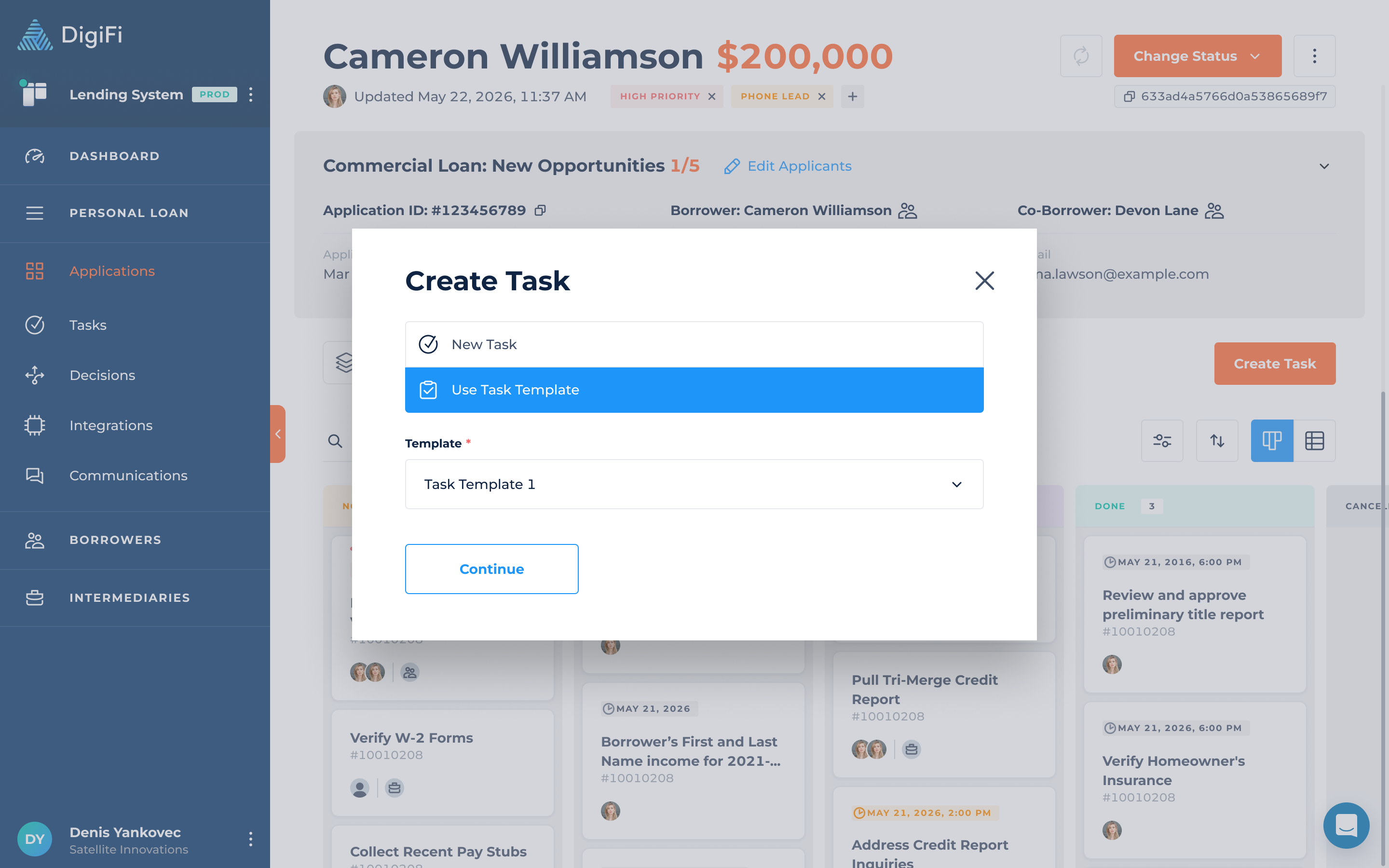
Manual Task Creation
When creating a task:
- Users can choose between New Task or Use Task Template
- Selecting a template auto-populates all task configuration
- Task is created immediately from the template structure and remains fully editable afterward
Automation Builder
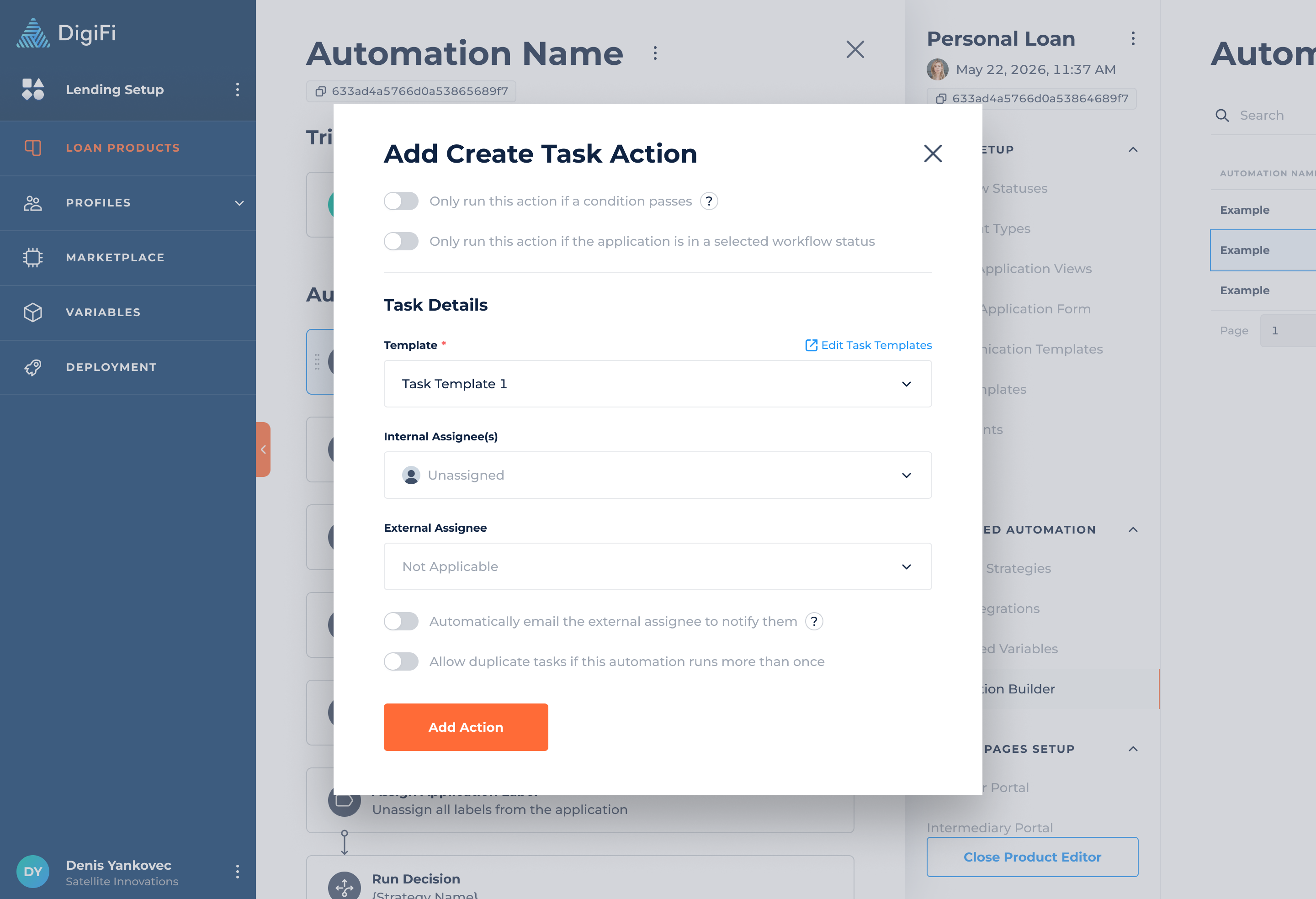
When configuring automated task actions:
- Users select an existing Task Template
- Assignees and execution conditions are configured separately in the action
- The selected template defines the task structure
- No manual task composition is required inside the workflow step
Task Details Improvements
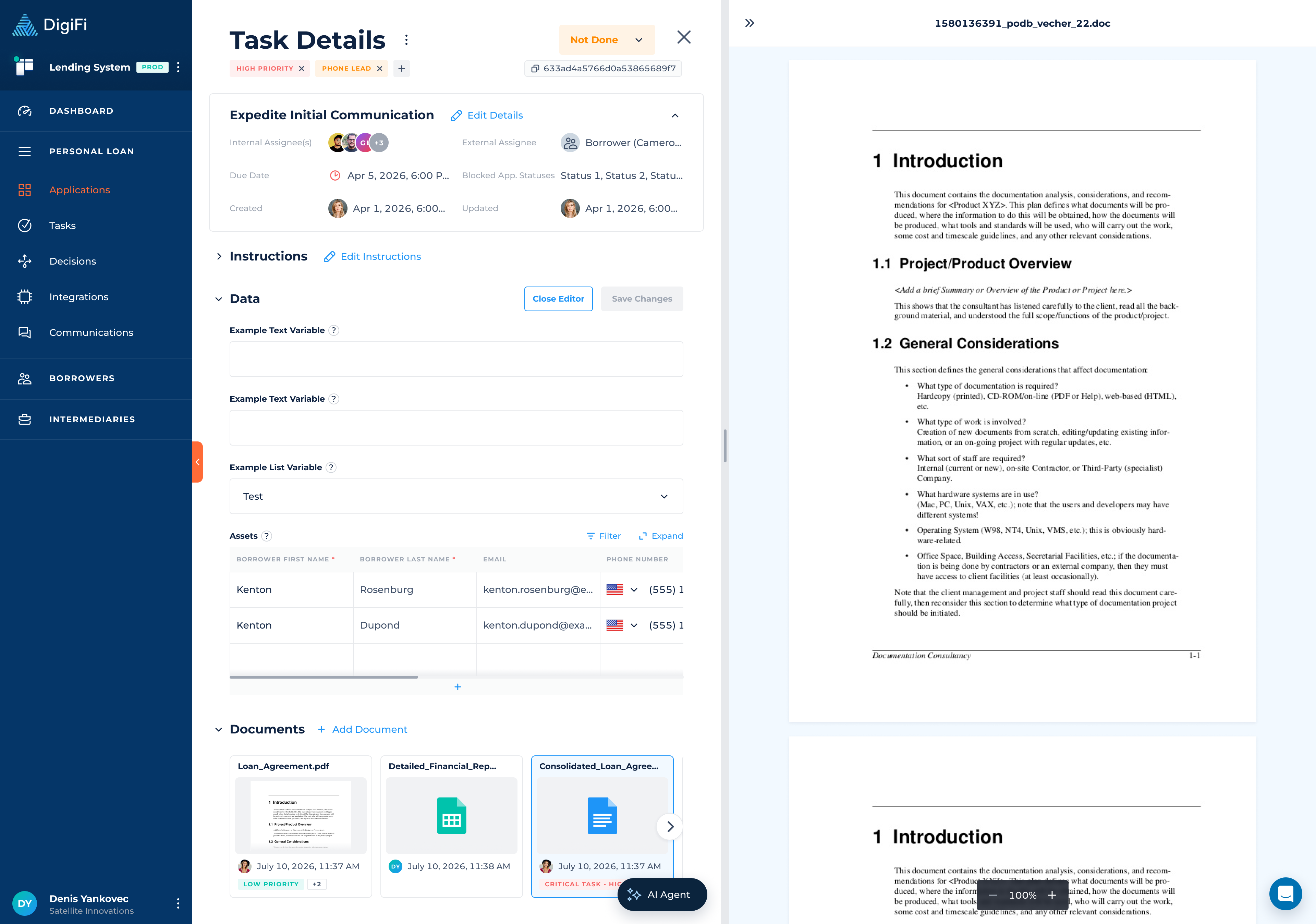
Task Details has been redesigned into a full contextual workspace with improved usability and structure.
Key Enhancements
- Collapsible sections (Instructions, Data, Documents, Comments)
- Expanded overview block with quick editing capabilities
- Inline editing for:
- Instructions (no modal required)
- Task data/variables
- Improved document handling with tile-based previews
- Split view mode for documents and task editing side-by-side
Document Enhancements
- Upload and link documents directly within tasks
- Scrollable document preview when exceeding visible limit
- Open documents in split view mode
Migration & Compatibility Notice
To ensure a seamless transition, existing automation configurations have been automatically migrated to the new Communication and Task Templates.
Communication Actions
- Send Email and Text Message actions in the Automation Builder have been automatically converted into Communication Templates
- Templates are named sequentially by the migration (e.g. “Email Template 1”, “Text Message Template 1”), however they can be renamed
- All existing workflows now reference the newly created templates
Task Actions
- Create Task actions in the Automation Builder have been migrated into Task Templates
- Templates are automatically generated and linked to existing configurations
No Action Required
All migrations are fully automated. No manual updates are required from your side.
Webhooks: Task Comment Events
Task comment-related events have been added to DigiFi Webhooks, allowing external systems to react to task comment activity in real time and track comment creation, updates, and deletions.
New webhook events:
taskComment.created– triggered when a task comment is addedtaskComment.updated– triggered when an existing task comment is modifiedtaskComment.deleted– triggered when a task comment is removed
For more details, see the DigiFi Webhooks Documentation.