
DigiFi AI Features
An overview of AI-powered tools available in DigiFi and instructions for enabling them.
Overview of DigiFi AI Features
DigiFi provides built-in AI-powered tools designed to help lenders streamline application reviews, automate manual tasks, and work with application data more efficiently.
The platform offers two main AI features, each designed for a different purpose:
Application AI Assistant
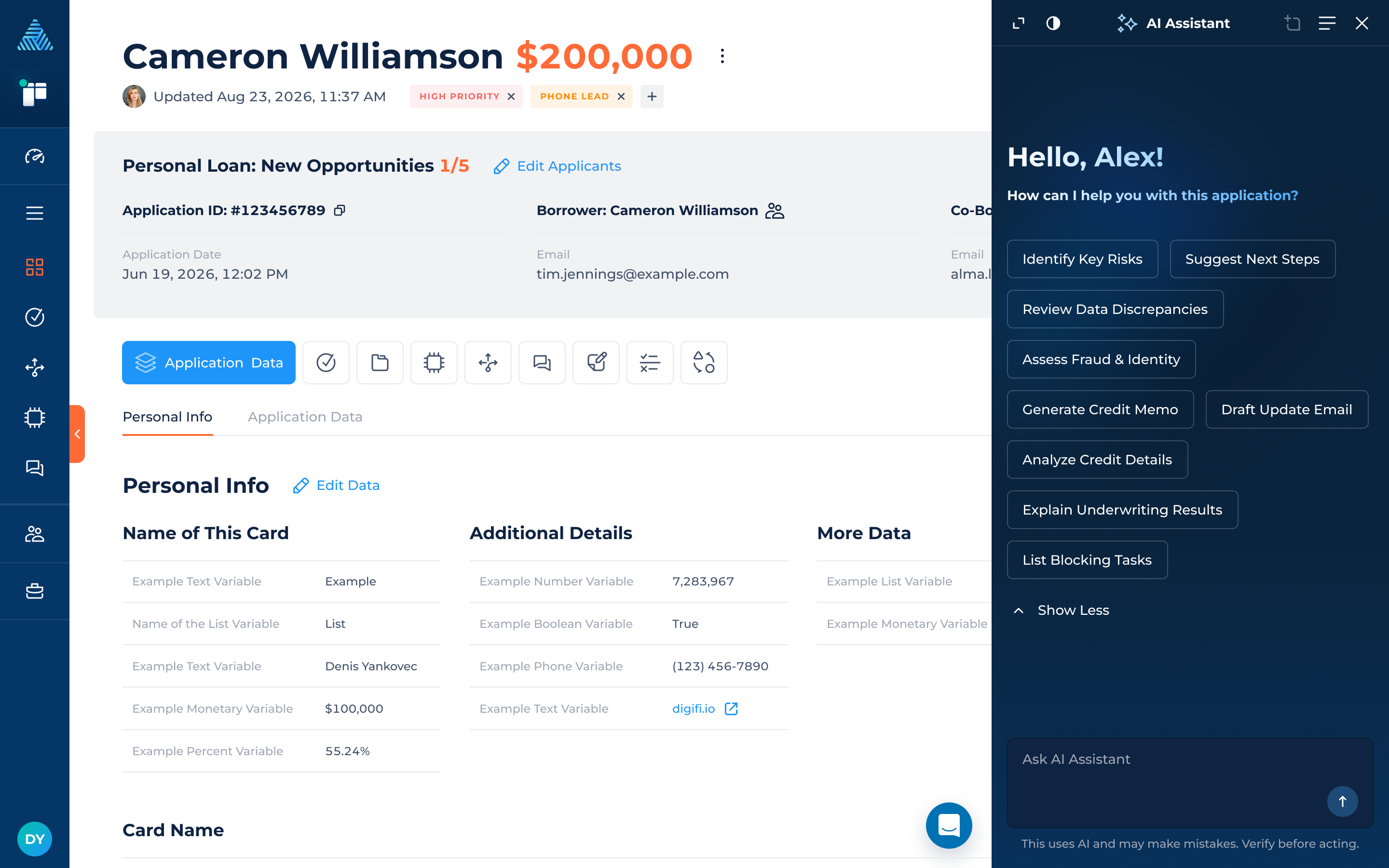
The AI Assistant is a conversational tool that helps users retrieve, review, and analyze application information directly from the Application Details page.
Users can ask questions to summarize application data, review decision and integration results, investigate documents, and retrieve other relevant information without manually navigating multiple sections of an application.
For more information, navigate to DigiFi Application AI Assistant.
Tasks AI Agent
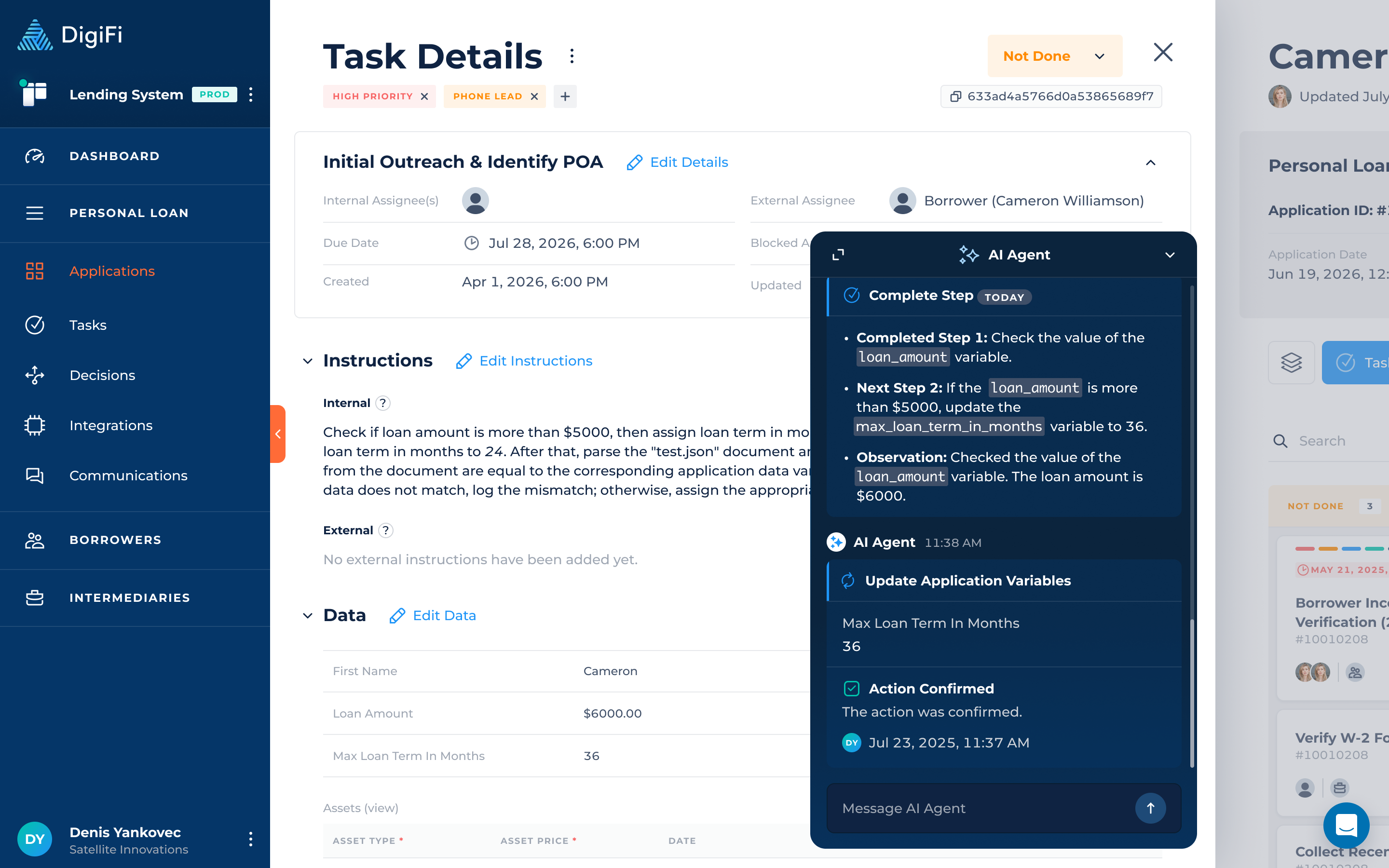
The AI Agent automates previously manual operations within application tasks using generative AI.
The Agent can read and analyze documents, extract information, update task variables, assign labels, change task statuses, perform calculations, and add comments based on predefined instructions.
It supports both guided execution, where users review and confirm suggested actions, and automatic execution, where the Agent carries out instructions without step-by-step confirmation.
For more information, navigate to DigiFi Tasks AI Agent.
Enabling AI Features
Both AI features are available through the DigiFi Marketplace.
To enable an AI feature:
- Navigate to the Marketplace in your DigiFi environment.
- Open the AI Tools category.
- Locate the AI feature you want to activate.
- Enable the corresponding toggle.
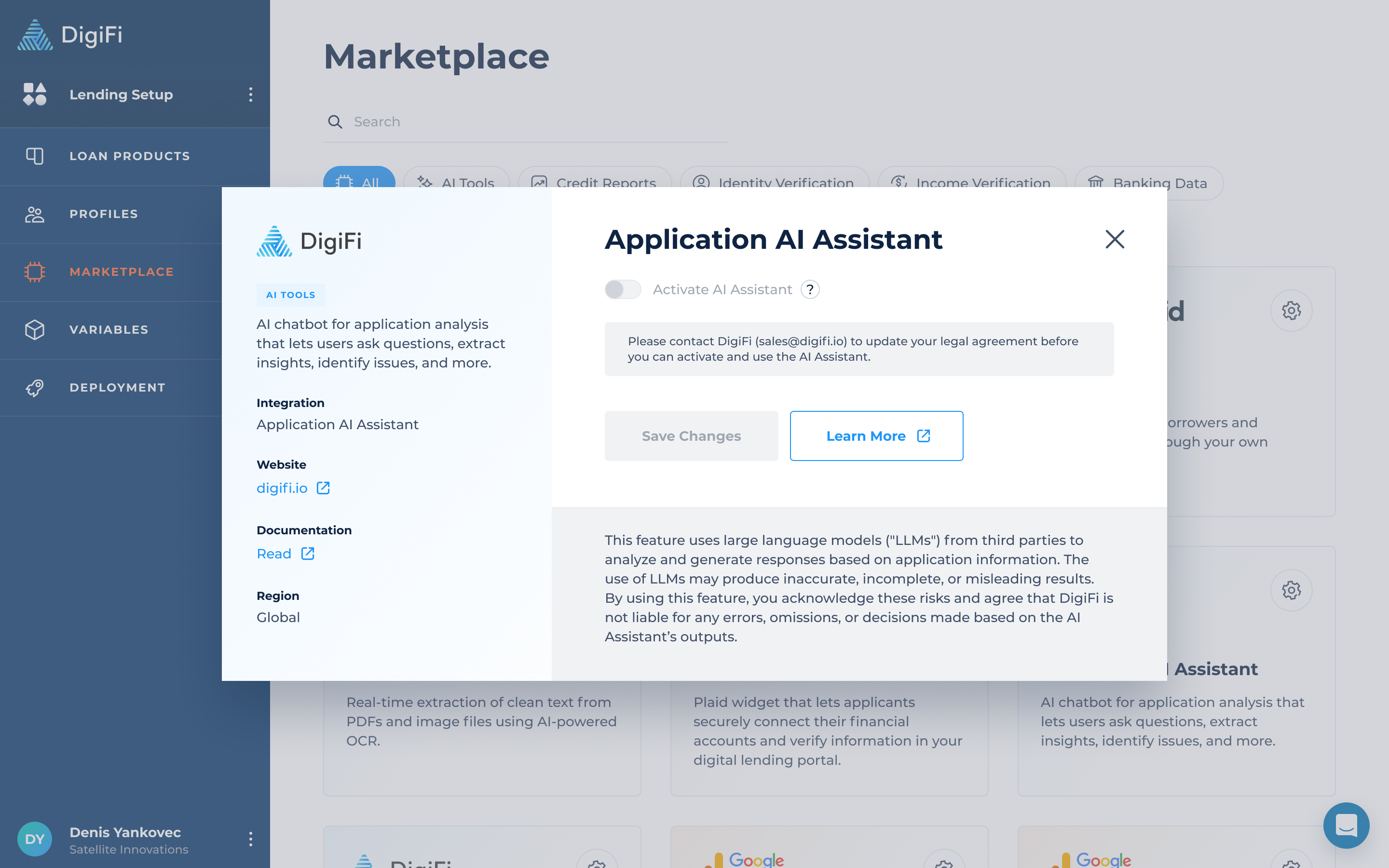
Once enabled, the feature becomes available in its respective area of the platform. Additional configuration may be required depending on the feature.
Refer to the individual documentation articles for detailed instructions on accessing and configuring each tool.
AI Features and Billing
AI-powered features may incur additional usage-based charges. DigiFi measures eligible AI operations using AI Credits, with billing depending on the feature and the operations performed.
For example:
- AI Application Assistant: AI Credit usage is based on message processing and tool calls.
- Tasks AI Agent: Eligible operations include document analysis, variable updates, task comments, label changes, and task status changes. Review Agent's billable actions.
The number of AI Credits consumed depends on the type and volume of operations performed. Starting an AI tool does not necessarily generate a charge; billing applies to eligible processing and actions.
For more information about AI Credits, usage limits, and billing notifications, see Usage & Limits section.
Updated 3 days ago